Abstract
-
A step-by-step guide on establishing an AWS CDK setup alongside Amazon CodeCatalyst from the ground up, enabling the creation of a comprehensive CI/CD pipeline for your infrastructure.
-
AWS CDK is fantastic for overseeing your entire infrastructure as code, but when multiple developers are involved in modifying the infrastructure, the situation can become chaotic without a proper mechanism like a CI/CD pipeline. Absence of such a system makes coordinating and communicating changes to the infrastructure a challenging task, and this challenge amplifies as more individuals participate in the modification process.
-
This tutorial will guide you through setting up a CI/CD pipeline using Amazon CodeCatalyst and AWS CDK for building To-Do web application
<img src=https://raw.githubusercontent.com/vumdao/codecatalyst-cdk-todo-web-app/master/docs/images/diagram.png width=900>
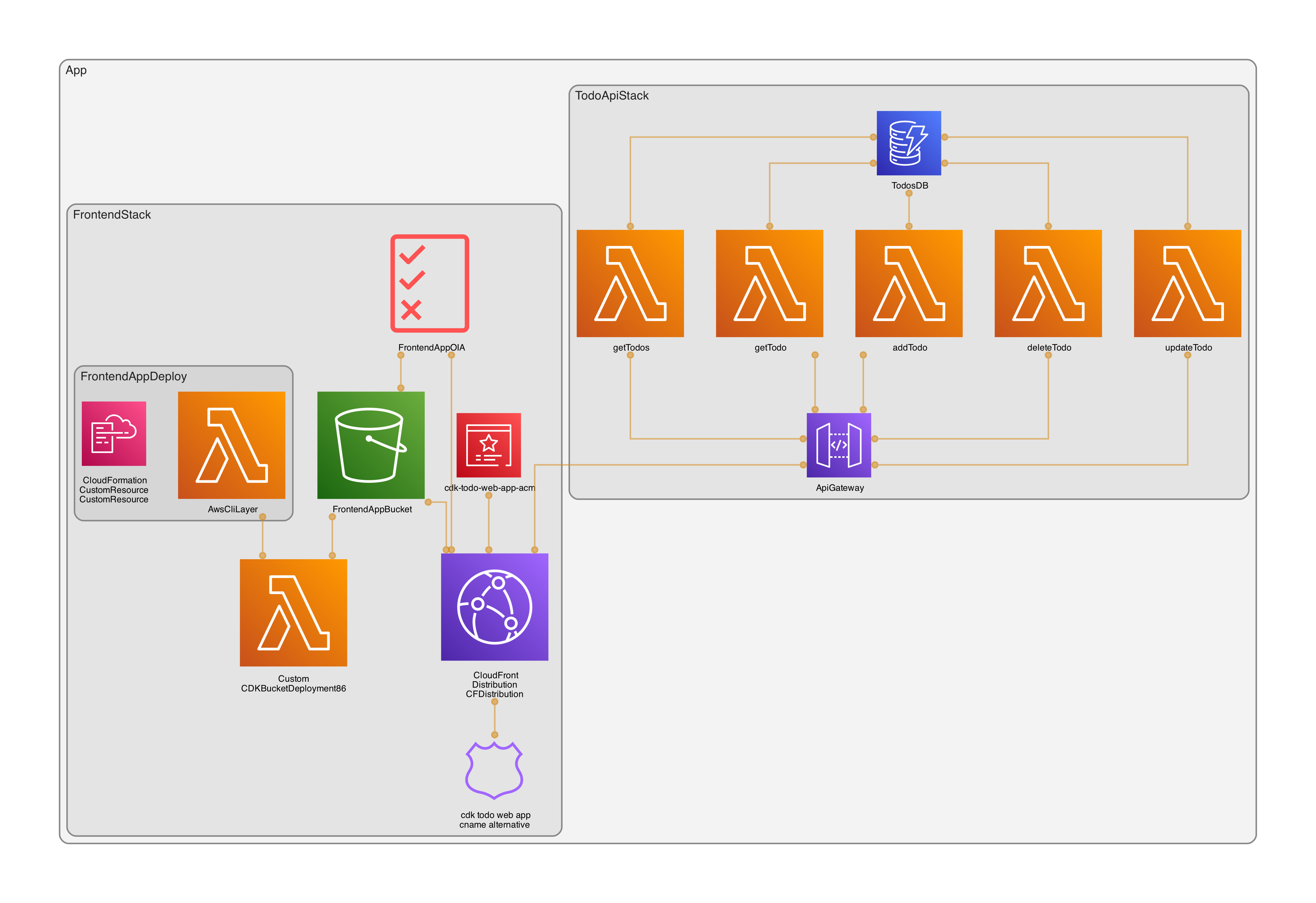
Table Of Contents
Open Table Of Contents
🚀 Setting up a CodeCatalyst Project, Repo, and Environment
- Login to CodeCatalyst and go to your Space (Create one if you don’t have)
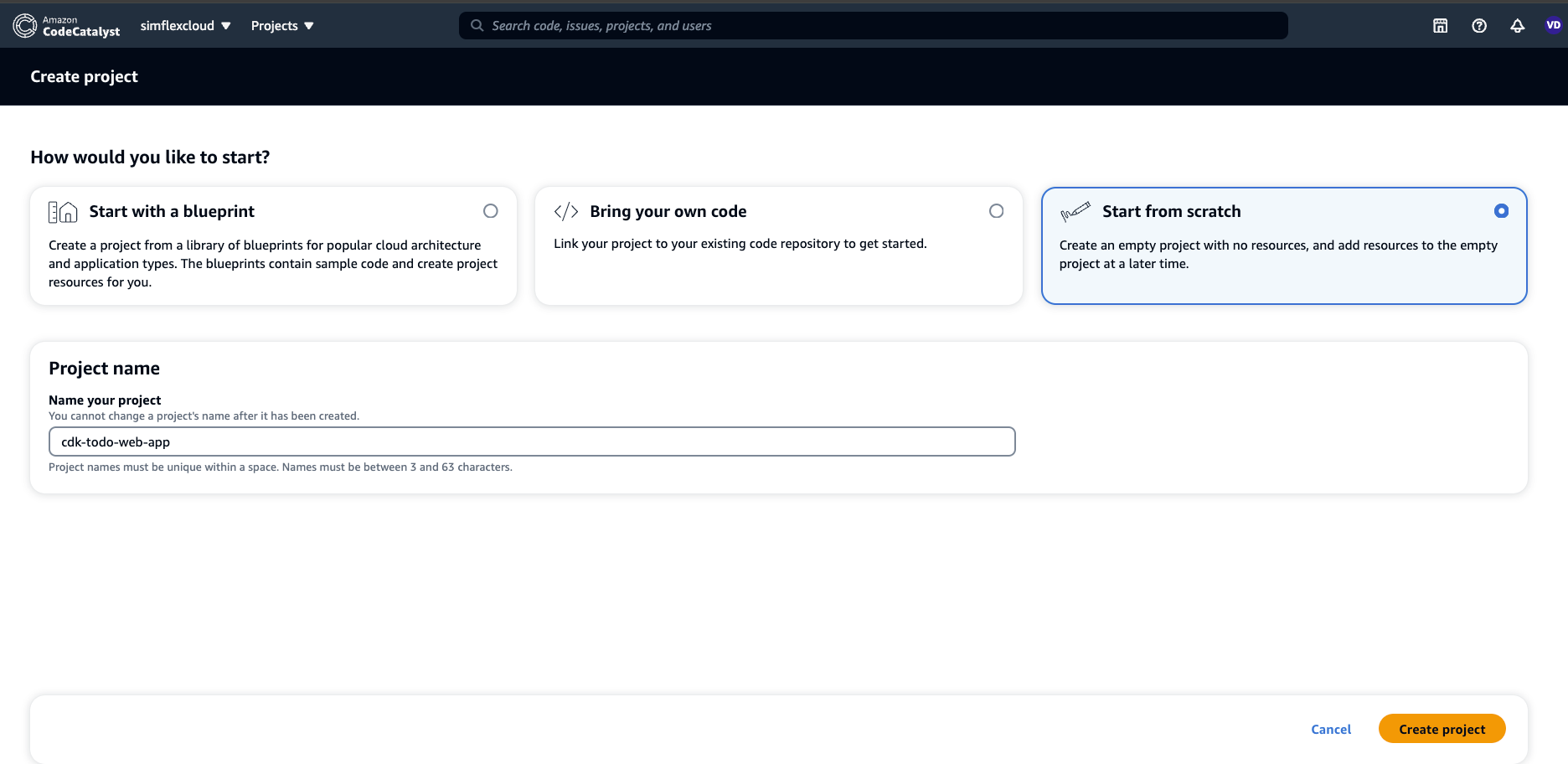
- Create a project from scratch
<img src=https://raw.githubusercontent.com/vumdao/codecatalyst-cdk-todo-web-app/master/docs/images/create-project.png width=700>
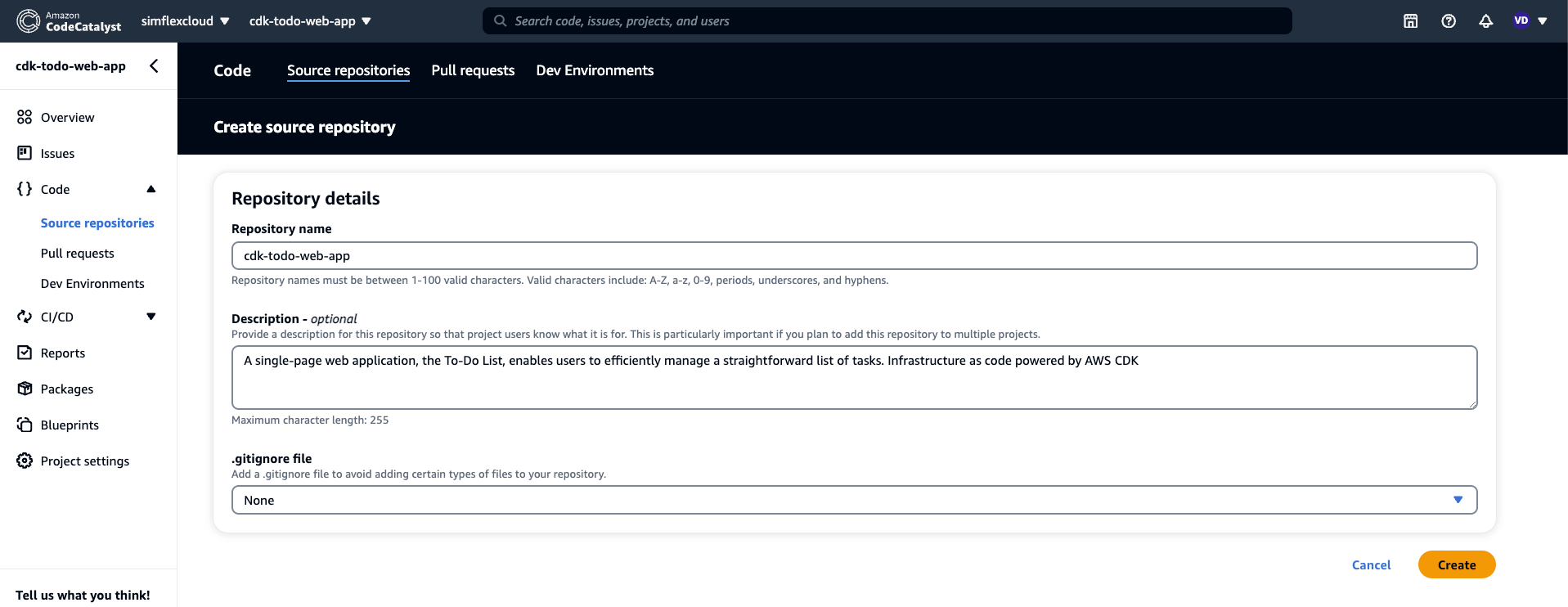
- Create repository to store code and workflows of the project
<img src=https://raw.githubusercontent.com/vumdao/codecatalyst-cdk-todo-web-app/master/docs/images/create-repo.png width=700>

<img src=https://raw.githubusercontent.com/vumdao/codecatalyst-cdk-todo-web-app/master/docs/images/create-repo-details.png width=700>
- Create CICD
Environmentswhich associates to AWS account for deploying our infrastructure.
<img src=https://raw.githubusercontent.com/vumdao/codecatalyst-cdk-todo-web-app/master/docs/images/create-cicd-env.png width=700>

- Create IAM role for codecatalyst to consume during running workflows. It should be already created while you create the Space or you can customize the others
<img src=https://raw.githubusercontent.com/vumdao/codecatalyst-cdk-todo-web-app/master/docs/images/iam-role.png width=700>

🚀 Design workflows
-
Workflows directory
.codecatalyst └── workflows └── main_fullstack_workflow.yaml -
Workflows is triggered by
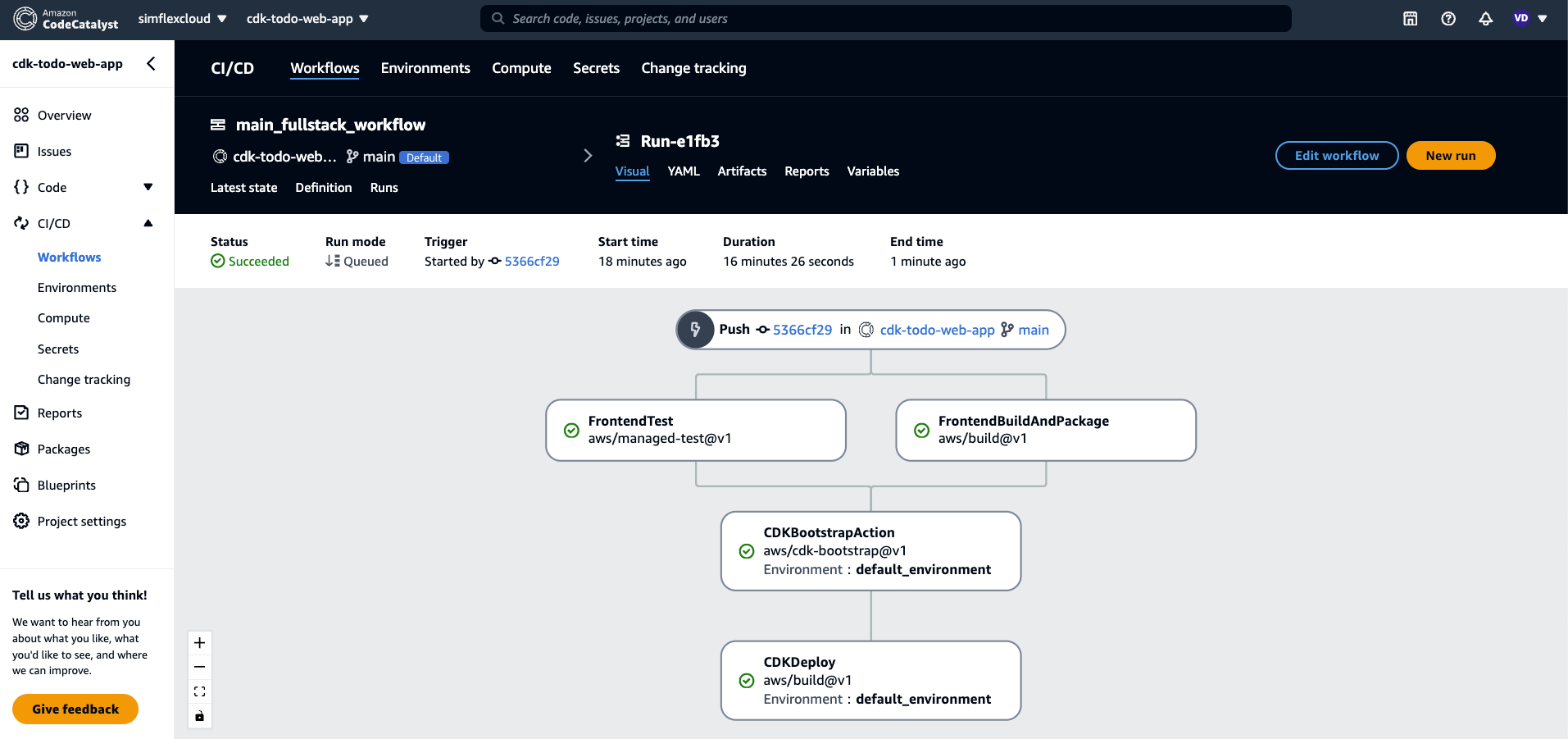
PUSHof branchmainand includes followingActionsTriggers: - Branches: - main Type: PUSHFrontendBuildAndPackagebuild react app, targetbuildwhich is shared to cross-actions byArtifactsofOutputs
FrontendBuildAndPackage: Identifier: aws/build@v1 Inputs: Sources: - WorkflowSource Outputs: Artifacts: - Name: frontend Files: - "**/*" Configuration: Steps: - Run: cd static-assets/frontend - Run: npm install - Run: echo "REACT_APP_SERVICE_URL=/api/todos" > ".env" - Run: npm run buildFrontendTestTest frontend code
FrontendTest: Identifier: aws/managed-test@v1 Inputs: Sources: - WorkflowSource Outputs: AutoDiscoverReports: IncludePaths: - frontend/**/*.xml ExcludePaths: - frontend/node_modules/**/* ReportNamePrefix: AutoDiscovered Enabled: true SuccessCriteria: PassRate: 100 Configuration: Steps: - Run: cd static-assets/frontend - Run: npm install - Run: npm test -- --coverage --watchAll=false;CDKBootstrapActionRuncdk bootstrapfor the region of the account with latest CDK version. This action depends onFrontendTestandFrontendBuildAndPackage
CDKBootstrapAction: Identifier: aws/cdk-bootstrap@v1 Configuration: Region: us-east-1 CdkCliVersion: latest Environment: Name: default_environment Connections: - Name: "123456789012" Role: CodeCatalystWorkflowDevelopmentRole-simflexcloud DependsOn: - FrontendTest - FrontendBuildAndPackageCDKDeployDownload build target ofFrontendBuildAndPackageand triggercdk deploy, this action depends onCDKBootstrapAction. Here I don’t use the defined actionaws/cdk-deploy@v1of CodeCatalyst because I’d like to useprojenandpnmpin CDK and handle copying frontend target build
CDKDeploy: Identifier: aws/build@v1 Inputs: Artifacts: - frontend Outputs: AutoDiscoverReports: IncludePaths: - "**/*" ExcludePaths: - "*/.codecatalyst/workflows/*" ReportNamePrefix: AutoDiscovered Enabled: true Configuration: Steps: - Run: cp -r static-assets/frontend/build static-assets/cdkStack/src/lib/frontend/ - Run: cd static-assets/cdkStack - Run: npm install -g pnpm - Run: pnpm i --no-frozen-lockfile - Run: export CDK_DEPLOY_ACCOUNT=123456789012 - Run: export CDK_DEPLOY_REGION=us-east-1 - Run: pnpm dlx projen deploy --all --require-approval never Environment: Name: default_environment Connections: - Name: "123456789012" Role: CodeCatalystWorkflowDevelopmentRole-simflexcloud DependsOn: - FrontendTest - FrontendBuildAndPackage -
Use EC2 compute type for CodeCatalyst workflows
Compute:
  Type: EC2
  Fleet: Linux.x86-64.Large
🚀 Source code and CDK stacks
-
Structure
cdkStackDefine CDK stacks and useprojenfor configuration management as well aspnpmfrontendFrontend react app
static-assets
├── cdkStack
│   │   ├── LICENSE
│   │   ├── README.md
│   │   ├── cdk.json
│   │   ├── package.json
│   │   ├── src
│   │   │   ├── bin
│   │   │   │   └── main.ts
│   │   │   ├── lib
│   │   │   │   ├── backend
│   │   │   │   │   ├── lambda
│   │   │   │   │   │   ├── CorsAPIGatewayProxyResult.ts
│   │   │   │   │   │   ├── Todo.ts
│   │   │   │   │   │   ├── addTodo.ts
│   │   │   │   │   │   ├── deleteTodo.ts
│   │   │   │   │   │   ├── getTodo.ts
│   │   │   │   │   │   ├── getTodos.ts
│   │   │   │   │   │   └── updateTodo.ts
│   │   │   │   │   └── todo-api-stack.ts
│   │   │   │   └── frontend
│   │   │   │       ├── build
│   │   │   │       ├── constants.ts
│   │   │   │       └── frontend-stack.ts
│   │   │   └── main.ts
│   │   ├── test
│   │   │   └── todo-api.test.ts
│   │   ├── tsconfig.dev.json
│   │   └── tsconfig.json
│   └── frontend
│       ├── README.md
│       ├── babel.config.js
│       ├── jest.config.js
│       ├── package.json
│       ├── public
│       │   ├── index.html
│       │   ├── manifest.json
│       │   └── robots.txt
│       ├── src
│       │   ├── App.css
│       │   ├── App.test.tsx
│       │   ├── App.tsx
│       │   ├── index.css
│       │   ├── index.tsx
│       │   ├── react-app-env.d.ts
│       │   ├── reportWebVitals.ts
│       │   ├── setupTests.ts
│       │   ├── to-do.api.ts
│       │   └── to-do.types.ts
│       └── tsconfig.json
├── tsconfig.dev.json
├── tsconfig.json
└── yarn.lock
🚀 Push source code to repo
-
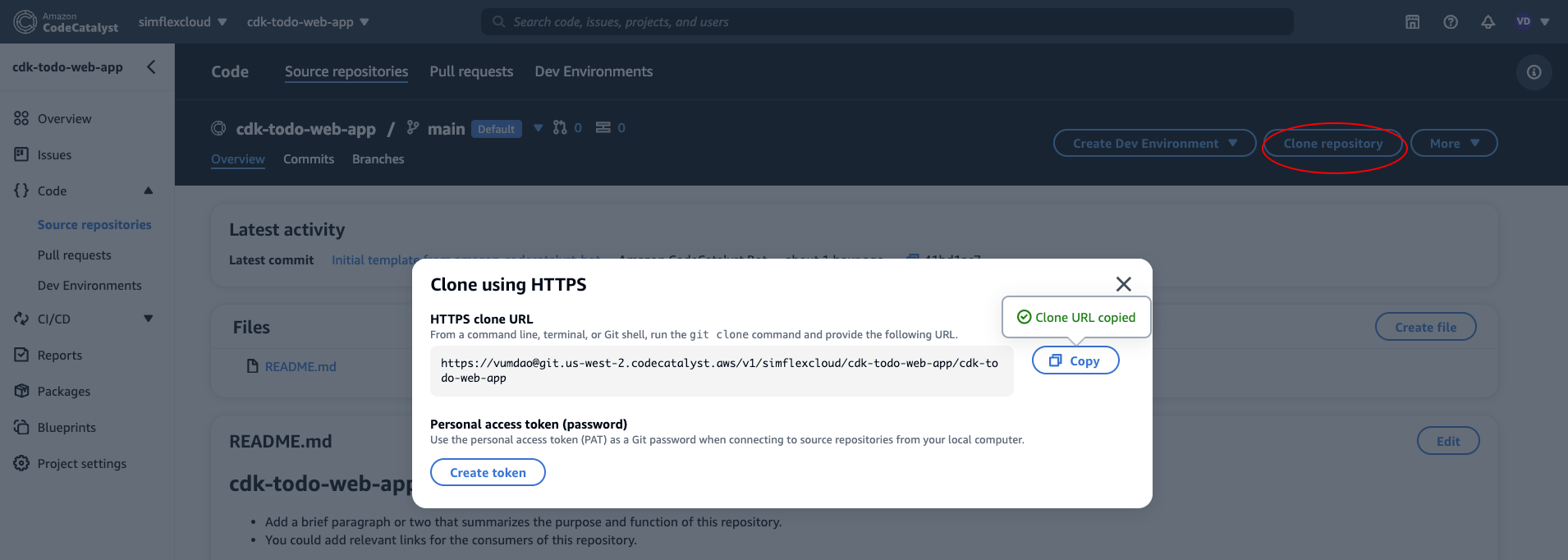
Init the repo and add repo URL which is created from the above as
origin<img src=https://raw.githubusercontent.com/vumdao/codecatalyst-cdk-todo-web-app/master/docs/images/clone-repo.png width=700>
➜  git init
Initialized empty Git repository in /Users/vudao/workspace/codecatalyst/cdk-todo-web-app/.git/
➜  git remote add origin https://vumdao@git.us-west-2.codecatalyst.aws/v1/simflexcloud/cdk-todo-web-app/cdk-todo-web-app
➜  git branch --set-upstream-to=origin/main main
branch 'main' set up to track 'origin/main' by rebasing.
➜  git pull
➜  git add .
➜  git commit -m "Init commit"
➜  git push origin main
🚀 Workflows Runs
-
When the commit is pushed to the
mainbranch, CodeCatalyst CI/CD triggers the workflows<img src=https://raw.githubusercontent.com/vumdao/codecatalyst-cdk-todo-web-app/master/docs/images/workflows-run.png width=700>
<img src=https://raw.githubusercontent.com/vumdao/codecatalyst-cdk-todo-web-app/master/docs/images/cdkdeploy.png width=700>
-
The
CDKDeploytriggers cloudformation to create AWS resources<img src=images/cloudformation.png width=700>
-
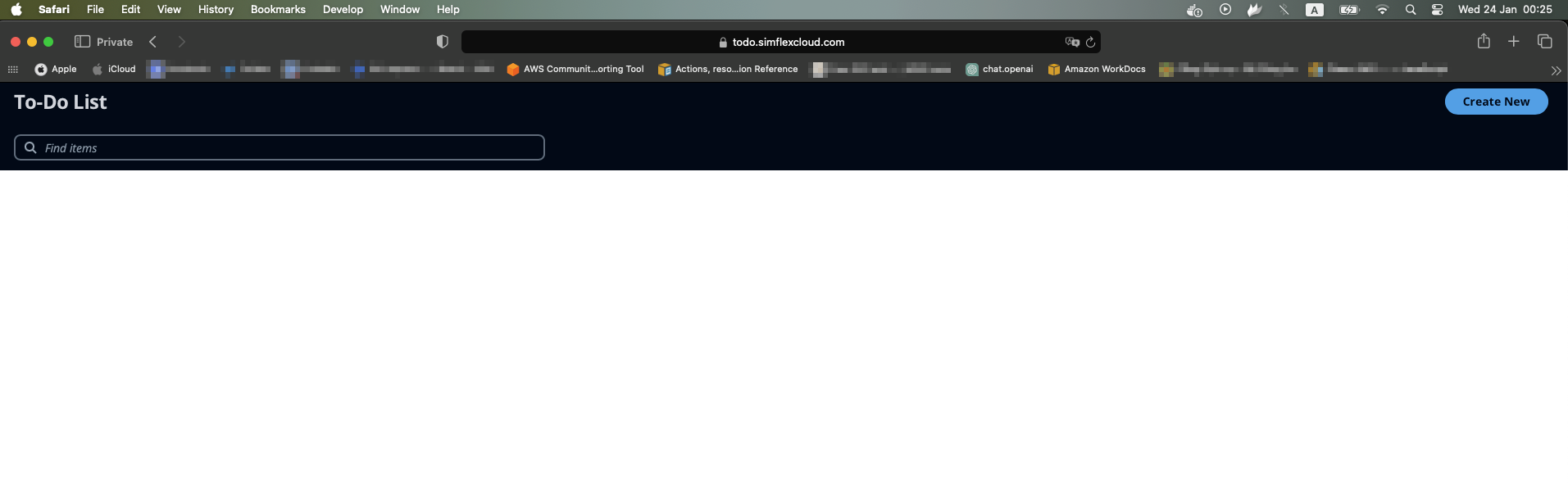
After the workflows done, we now have the To-Do Web app UI
<img src=https://raw.githubusercontent.com/vumdao/codecatalyst-cdk-todo-web-app/master/docs/images/webapp-ui.png width=700>

🚀 Conclusion
Congratulations! You’ve successfully bootstrapped and initialized AWS CDK with CodeCatalyst, and you can now deploy infrastructure changes or update frontend/backend using a pull request workflow.