Abstract
This project uses AWS CDK and TypeScript to scan S3 objects with ClamAV. Instead of loading the antivirus scanning libraries for every Lambda invocation, it runs the ClamAV daemon (clamd) as a persistent REST API on Amazon ECS Fargate. A Lambda function responds to S3 events, sends each object to the API, and publishes the scan result to Amazon SNS.
Keeping the daemon warm avoids the 15–30 second initialization delay described in serverless ClamAV approaches, helping scan requests return much sooner.
Table Of Contents
Open Table Of Contents
The problem
The AWS Labs serverless ClamAV solution scans S3 objects with Lambda. However, loading the ClamAV scanning library for each invocation can add a 15–30 second delay before a scan begins. That startup cost can be a poor fit for workloads that need prompt results or scan files frequently.
ClamAV’s clamd daemon offers another approach: it loads virus definitions into memory and stays available to handle scan requests. This project applies that model by running the daemon in a container on ECS Fargate and using Lambda only for S3 event processing and orchestration.
Solution overview
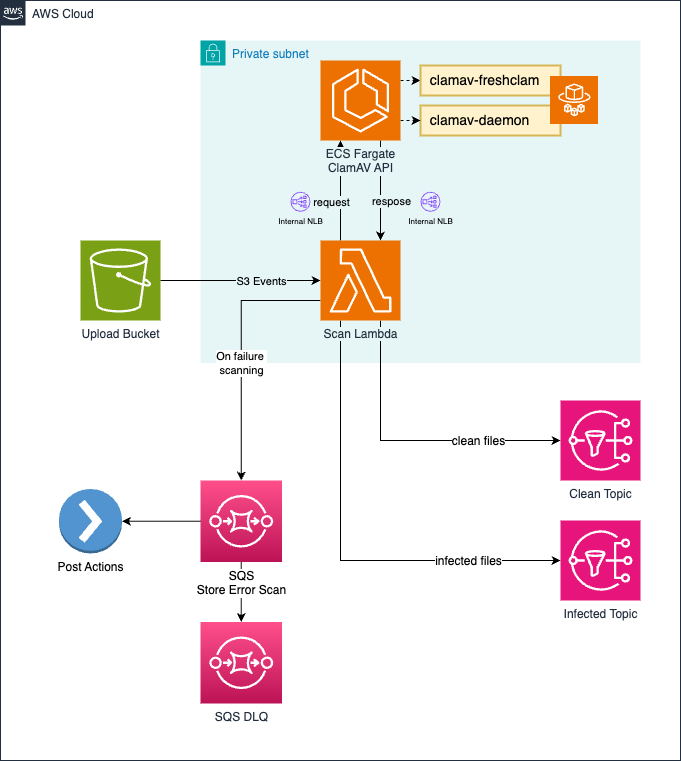
The workflow combines AWS managed services with the ClamAV daemon:
- A file is uploaded to a monitored S3 bucket.
- The S3 event invokes a Lambda scanner.
- Lambda calls the ClamAV REST API running on ECS Fargate.
- The API scans the file using the persistent
clamddaemon. - Lambda publishes the result to the SNS topic for clean or infected files.
An SQS error queue handles scan operations that fail and need retrying.
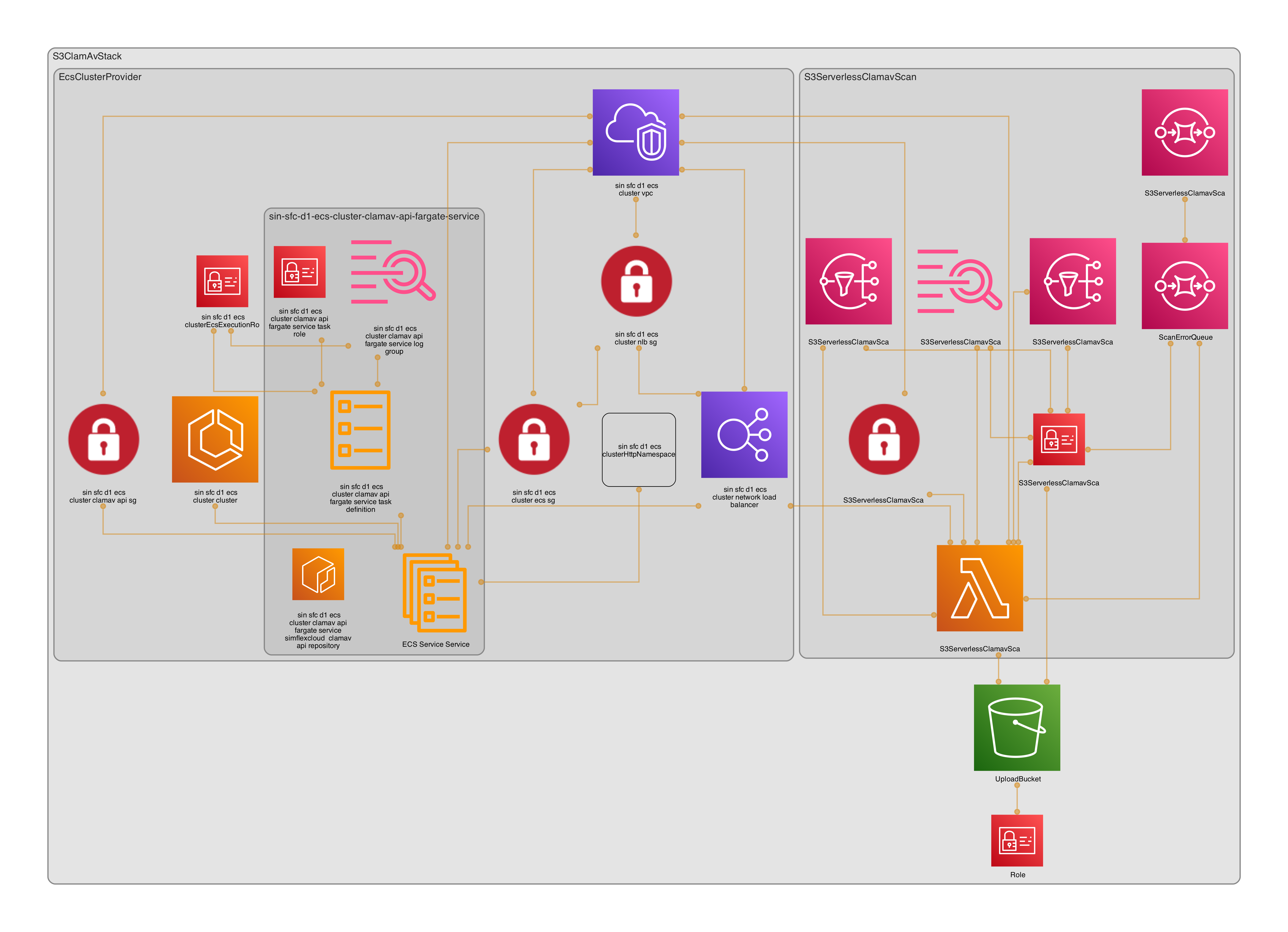
The CDK application is organized around a stack and reusable constructs:
src/
├── bin/main.ts
└── lib/
    ├── stacks/
    │   └── s3-clamav-scan-stack.ts
    ├── constructs/
    │   ├── ecs-cluster-provider/
    │   └── s3-serverless-clamscan/
    └── shared/
        ├── environment.ts
        └── constants.ts
The infrastructure includes:
- A multi-AZ VPC with public, private-isolated, and private-with-egress subnets.
- An ECS Fargate cluster for the ClamAV API, with Fargate Spot for cost optimization.
- An internal Network Load Balancer to distribute requests to the API containers.
- An S3 gateway endpoint for private-subnet access to S3 without NAT gateway traffic.
- A Lambda scanner triggered by uploads to the monitored S3 bucket.
- Separate SNS topics for clean and infected scan results, plus an SQS error queue.
ClamAV REST API and notifications
The API container combines ClamAV and its daemon with a Flask application, nginx, uWSGI, and Supervisor. It also runs freshclam to retrieve virus definitions.
The API exposes two endpoints:
GET /— health check that returnsOK.POST /scan_file— accepts a JSON request identifying the S3 bucket and object key to scan.
Scan results are published to clamav-clean-topic or clamav-infected-topic. A notification includes the input location, status, and ClamAV output:
{
  "input_bucket": "bucket-name",
  "input_key": "path/to/file.pdf",
  "status": "CLEAN",
  "message": "Scanning bucket-name/path/to/file.pdf\n<ClamAV output>"
}
Downstream consumers can subscribe to either topic. For example, clean-file notifications can start document processing, while infected-file notifications can trigger quarantine or alerting workflows.
Deploy and test
Prerequisites
- An AWS account and permissions to create the stack’s resources.
- Node.js 16 or later and pnpm.
- AWS CDK CLI (
npm install -g aws-cdk). - AWS CLI configured for the target account and region.
- Docker for building the ClamAV API image.
Install and deploy
Clone the project and install its dependencies:
git clone https://github.com/vumdao/cdk-clamav-rest-api-on-aws-ecs.git
cd cdk-clamav-rest-api-on-aws-ecs
pnpm install
Deploy the CDK stack:
pnpm run deployBuild the API image from its Dockerfile:
cd src/lib/constructs/s3-serverless-clamscan/clamd-api
docker build -t simflexcloud/clamav-api .
Authenticate Docker to ECR, then tag and push the image. Replace the example account ID and region with your own:
aws ecr get-login-password --region <region> \
  | docker login --username AWS --password-stdin <account-id>.dkr.ecr.<region>.amazonaws.com

docker tag simflexcloud/clamav-api:latest \
  <account-id>.dkr.ecr.<region>.amazonaws.com/simflexcloud/clamav-api:latest

docker push <account-id>.dkr.ecr.<region>.amazonaws.com/simflexcloud/clamav-api:latest
After deployment, the stack outputs the ClamAV API endpoint through the load balancer, for example:
S3ClamAvStack.EcsClusterProviderclamav-apiEndpoint =
  nlb-xxxx.elb.<region>.amazonaws.com:5000
Test the scanner
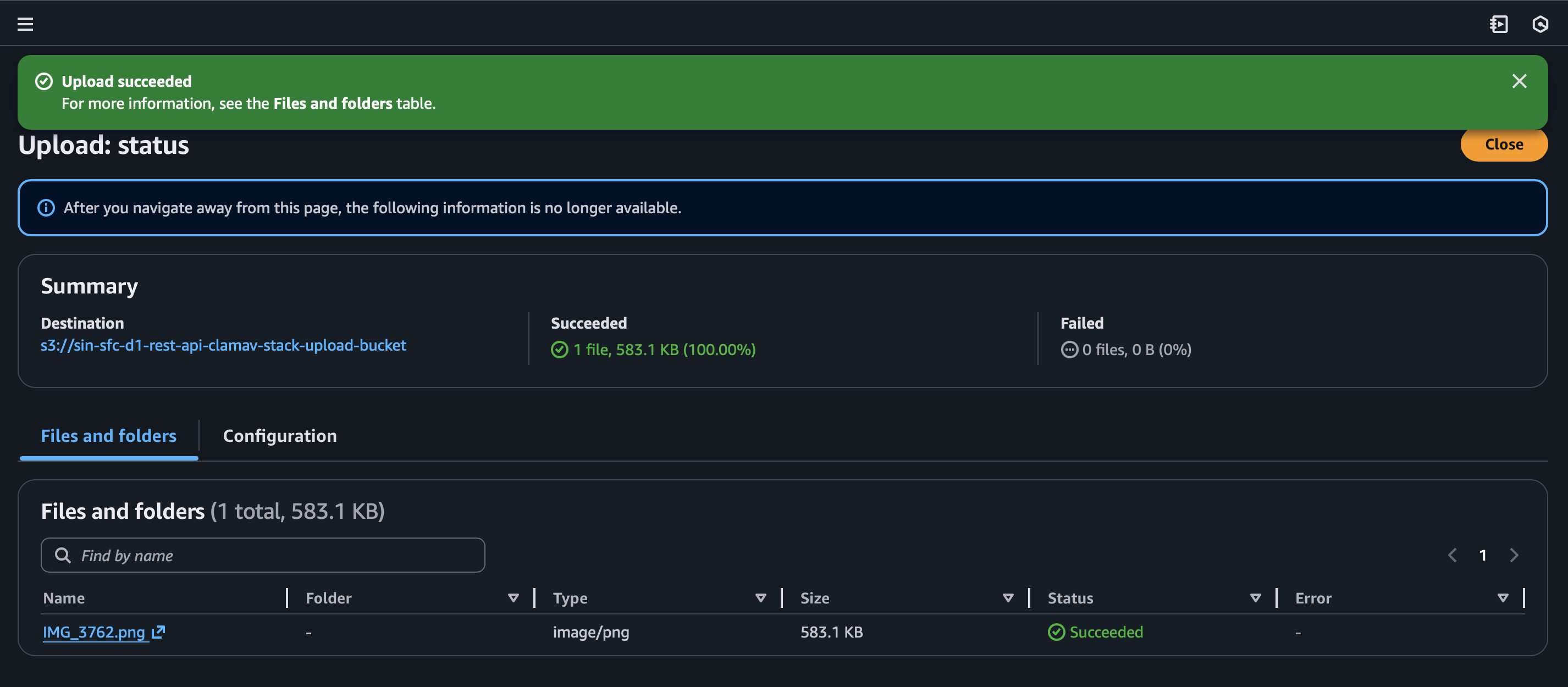
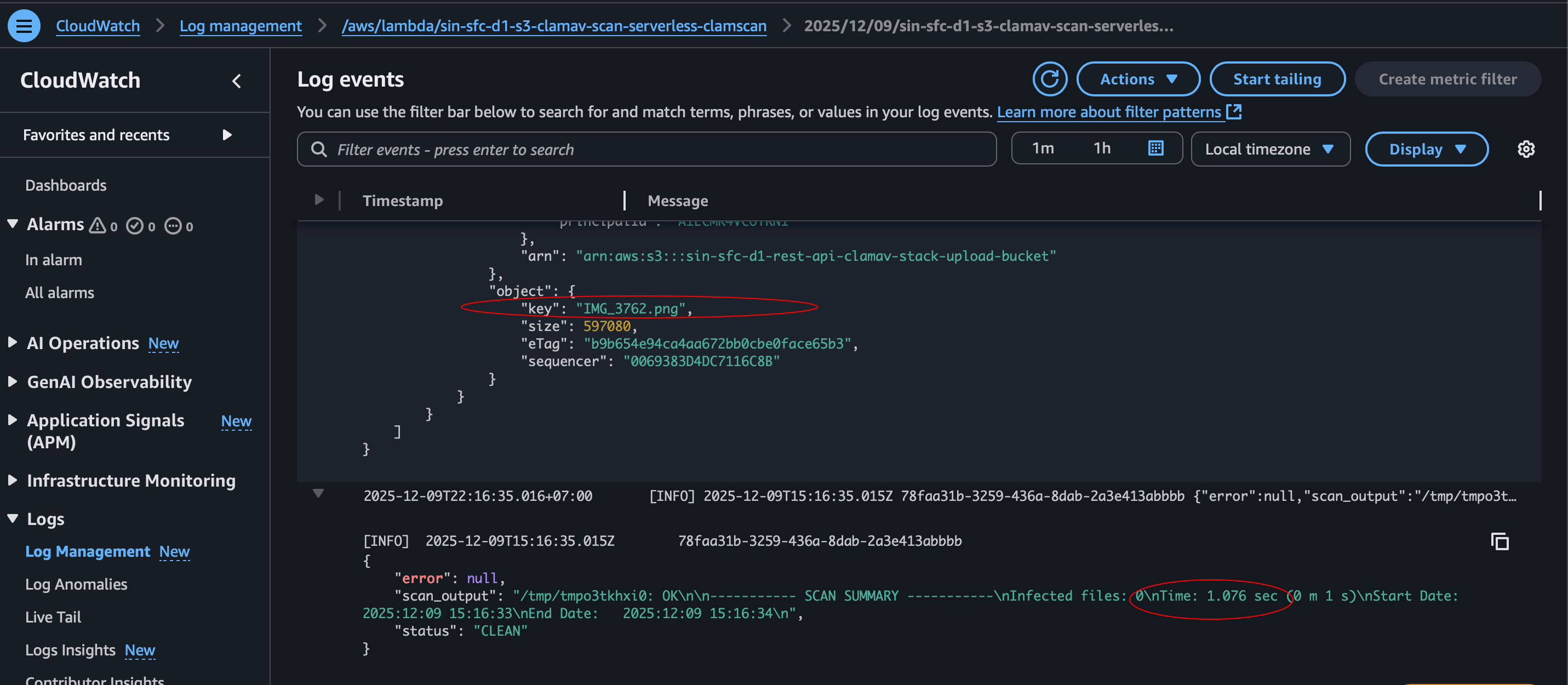
Upload a clean file to the monitored S3 bucket and check that the scan result is published:
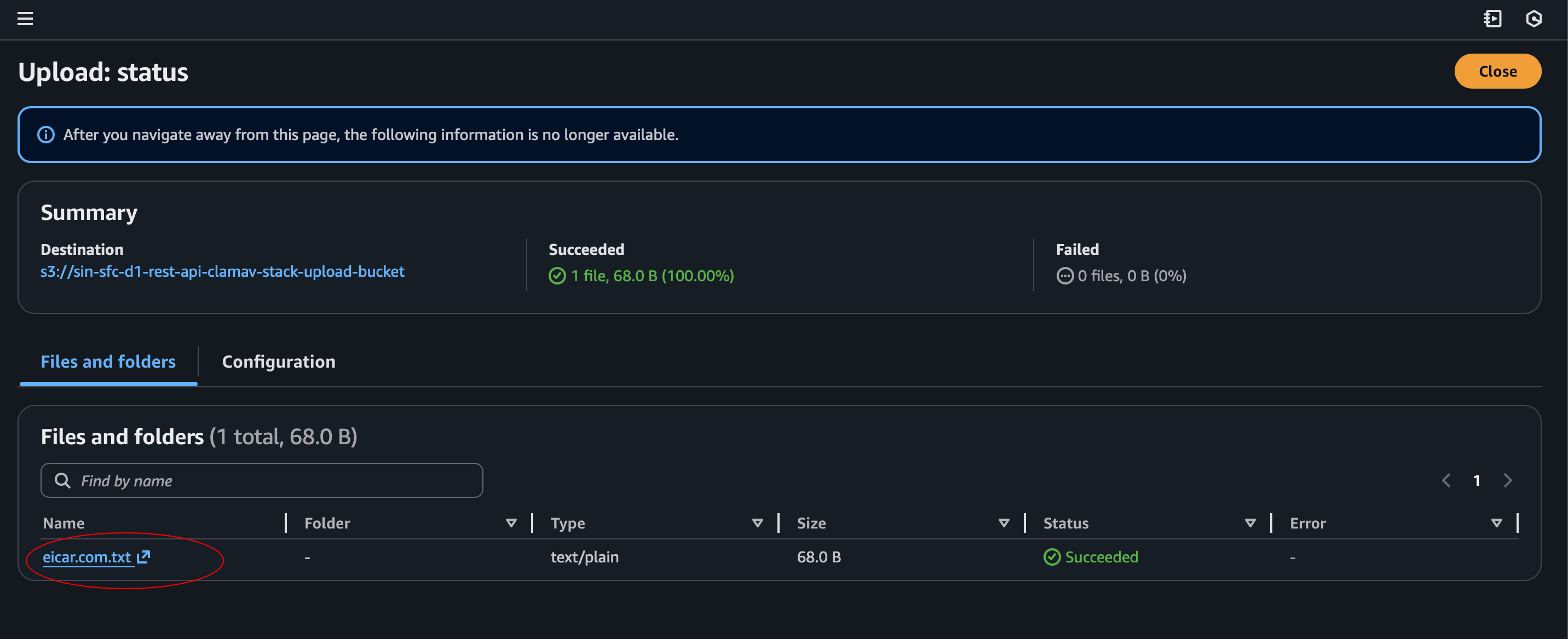
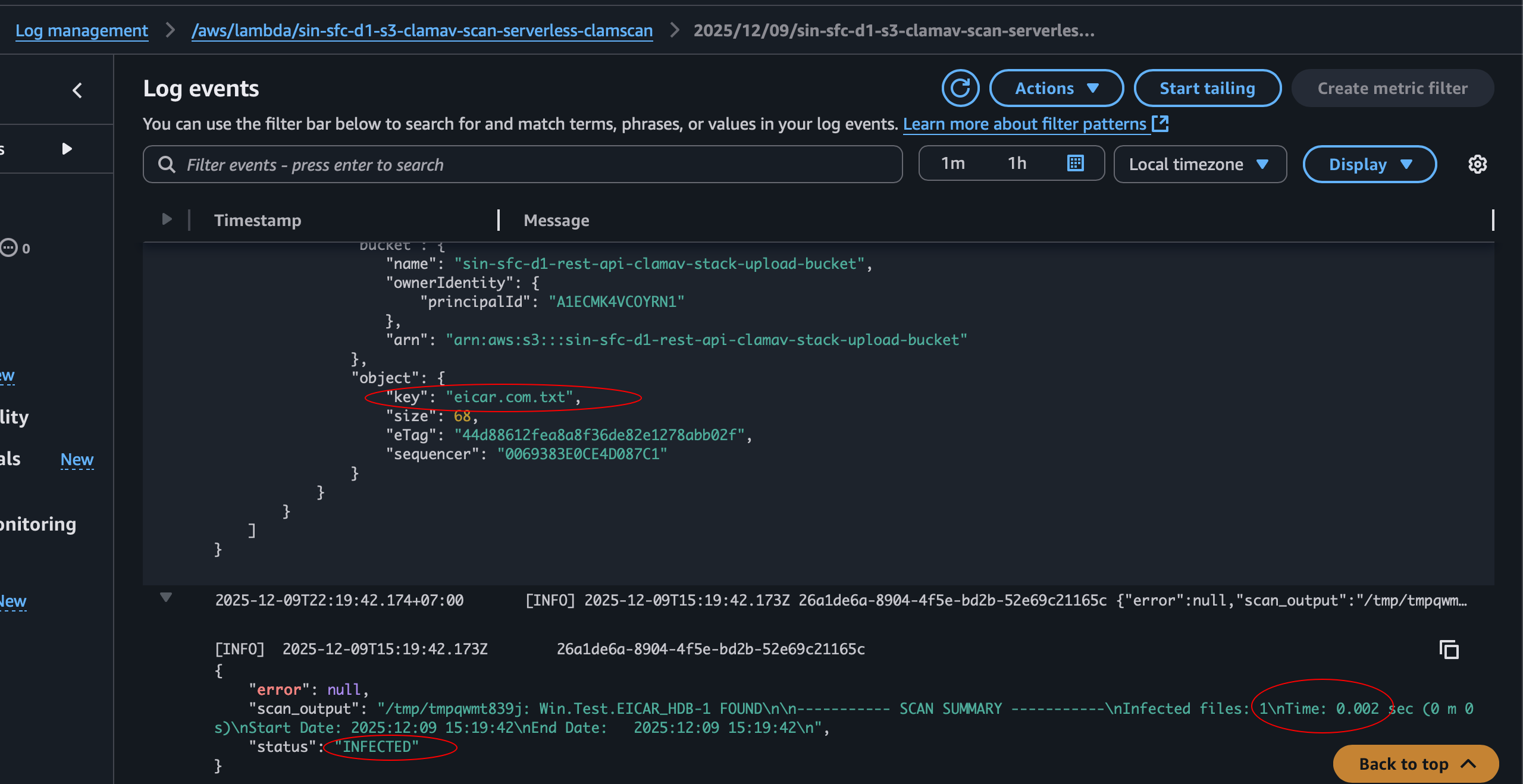
Then test the infected-file path with the EICAR test file, a standard antivirus test sample:
Cleanup
Destroy the stack when testing is complete to avoid ongoing AWS charges:
pnpm run destroyConclusion
Running clamd as a persistent service on ECS Fargate avoids repeatedly loading ClamAV in a Lambda execution environment. Lambda still provides a convenient way to react to S3 uploads and route scan results, while SNS lets downstream systems handle clean and infected files independently.
The project demonstrates how ECS Fargate, Lambda, S3, and SNS can work together to build an event-driven malware scanning workflow with AWS CDK.
References: