Abstract
- Continue the previous post Hands-on Amazon ECS for Blue-Green Deployments With CDK Typescript which uses EC2 to host the ECS container service and manually operate blue-green deployments. In this blog post, I use AWS Fargate as a container of ECS service and codedeploy to operate blue-green deployment automatically.
Table Of Contents
Open Table Of Contents
🚀 Solution overview
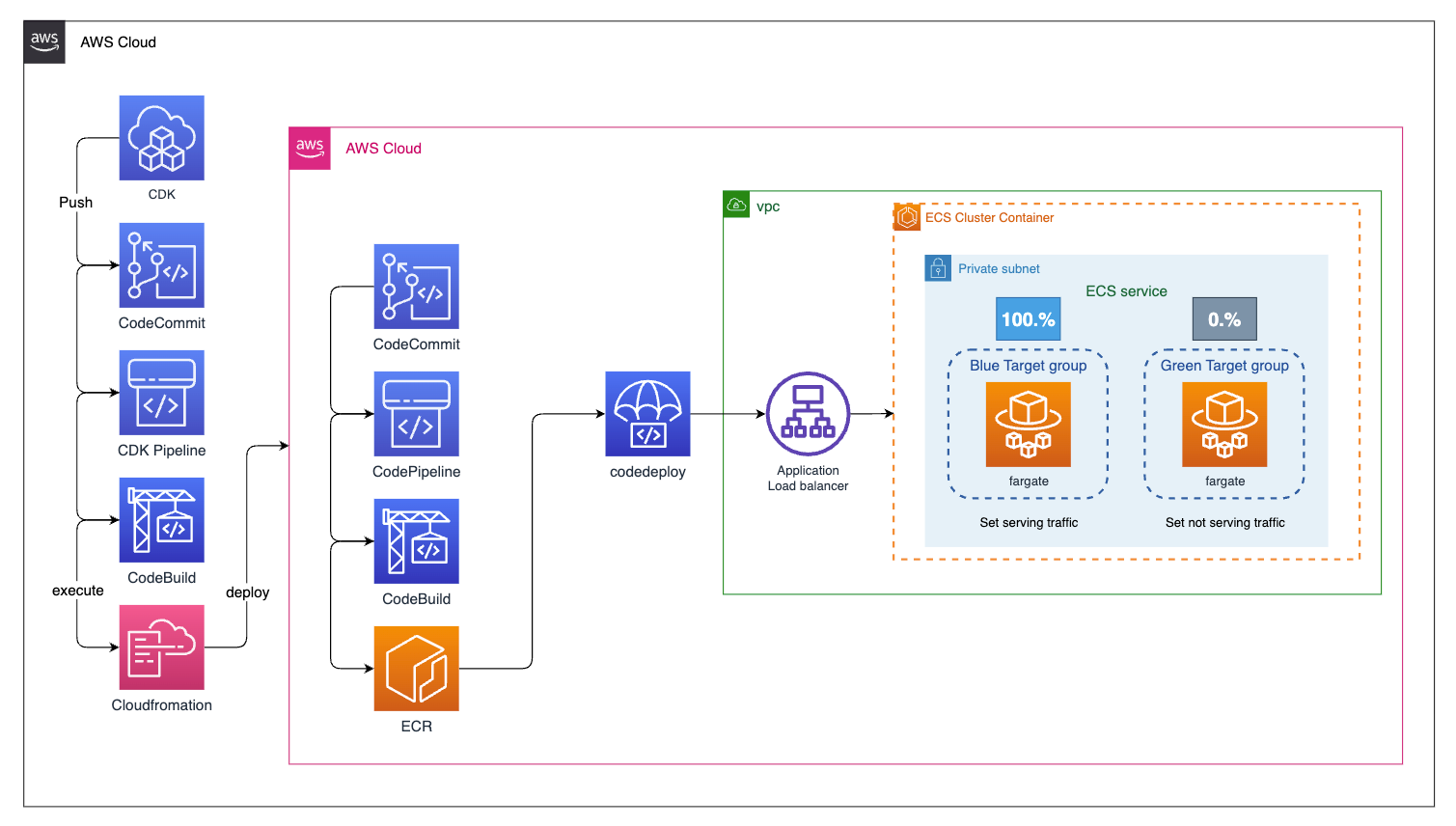
<img src=https://raw.githubusercontent.com/vumdao/cdk-ecs-fargate-blue-green-deployments/master/images/architect.png width=1100>
-
The whole AWS resources are created using CDK pipeline except the pipeline itself.
-
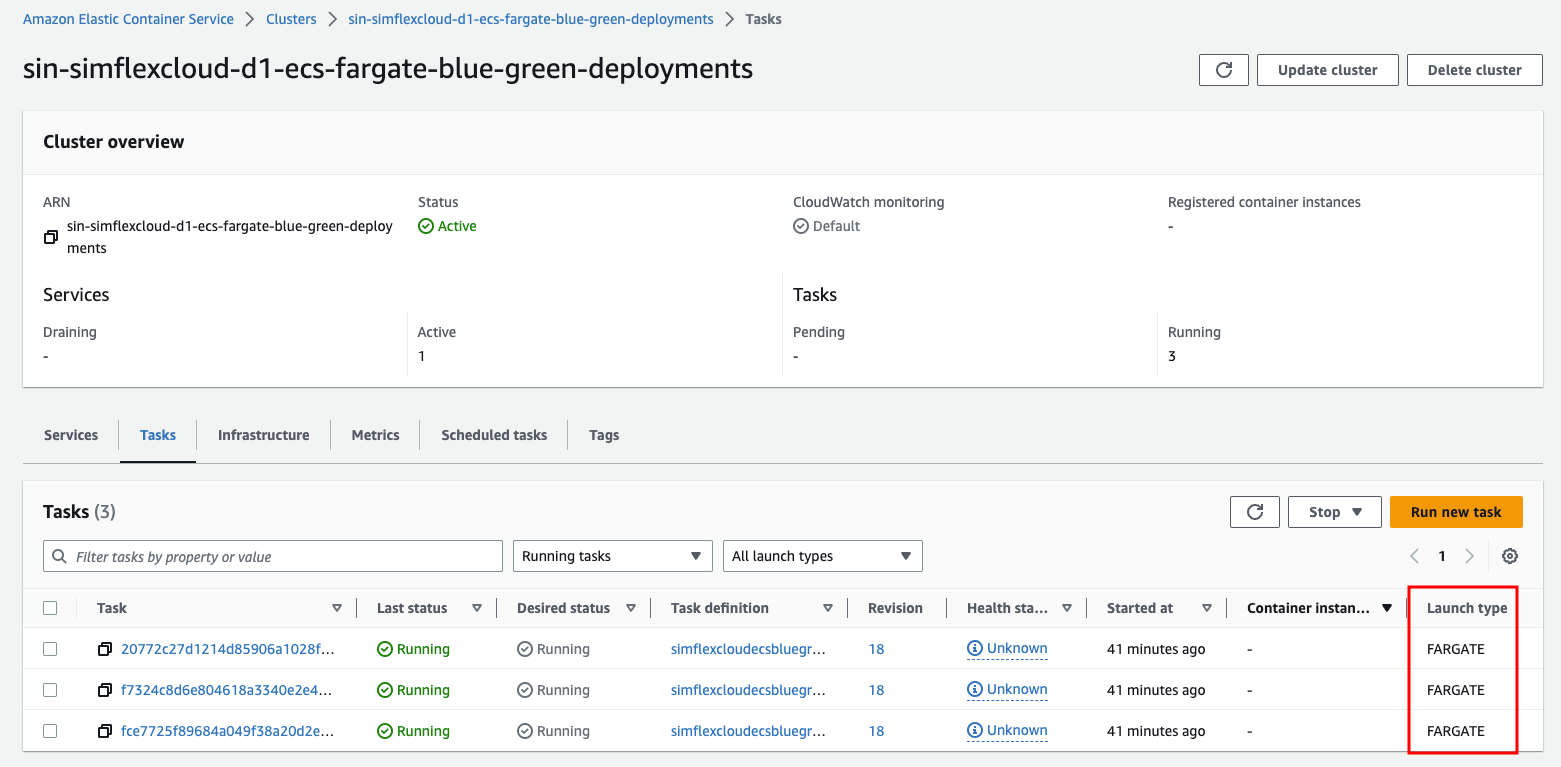
The ECS cluster is placed in private subnet as well as the fargate service. We create ECS service with task definition that has desired count of 3 and use FARGATE as
requiresCompatibilities -
The ECS service is registered to ECS deployment controller with the type
CODE_DEPLOYfor handling blue-green deployment. It sticks the application load balancer to the replacement target group when deploying successfully. -
A container image is built with codepipeline and codebuild which store images to ECR.
-
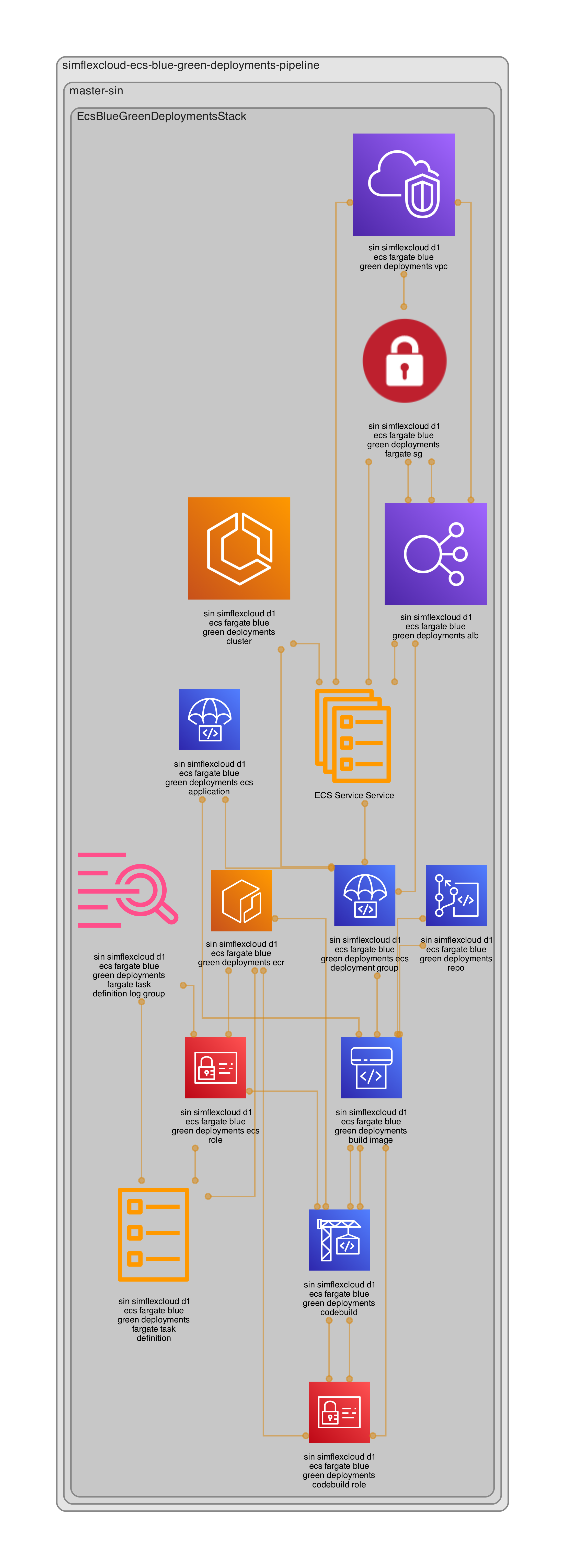
Here is the stacks relationship
<img src=https://raw.githubusercontent.com/vumdao/cdk-ecs-fargate-blue-green-deployments/master/images/diagram.png width=600>
🚀 Source code structure
-
We have two Git repositories (codecommit) one for application project
app-projectdirectory and others for CDK infrastructurecdk-infradirectory➜ ecs-blue-green-deployments tree -L 1 . ├── README.md ├── app-project ├── cdk-infra └── images 3 directories, 1 file -
We create the codecommit repositories through CDK
-
Go to
cdk-infraand runcdk lscdk ls simflexcloud-ecs-blue-green-deployments-pipeline simflexcloud-ecs-blue-green-deployments-pipeline/master-sin/EcsBlueGreenDeploymentsStack -
Deploy
simflexcloud-ecs-blue-green-deployments-pipelineit will create the repository ofcdk-infra. Note: replaceCDK_DEFAULT_ACCOUNTandCDK_DEFAULT_REGIONincdk-infra/src/shared/constants.tswith expected ones.cdk deploy simflexcloud-ecs-blue-green-deployments-pipeline -
Add the remote Git repository to
cdk-infra(Note: Replace thepriv-accwith yours)git remote add origin ssh://priv-acc/v1/repos/ecs-blue-green-deployments-infra -
Create branch
masterand push source code to the repo, it will trigger CDK pipeline to create all stacks which also include the repository and pipeline forapp-proj -
After the pipeline is completed successfully, go to
app-projdirectory and add Git remote repository, then create the branchestestgreenandtestblueand push them to codecommitgit remote add origin ssh://priv-acc/v1/repos/simflexcloud-ecs-blue-green-deployments
-
🚀 Process flow
1. Build project
- Use AWS CodeBuild to create Docker images and store them in Amazon ECR. This process is powered by codepipeline to handle CICD.
2. Create ECS cluster
-
Create an Amazon ECS cluster using fargate.
<img src=https://raw.githubusercontent.com/vumdao/cdk-ecs-fargate-blue-green-deployments/master/images/ecs-infra.png width=700>
3. Application load balancer
-
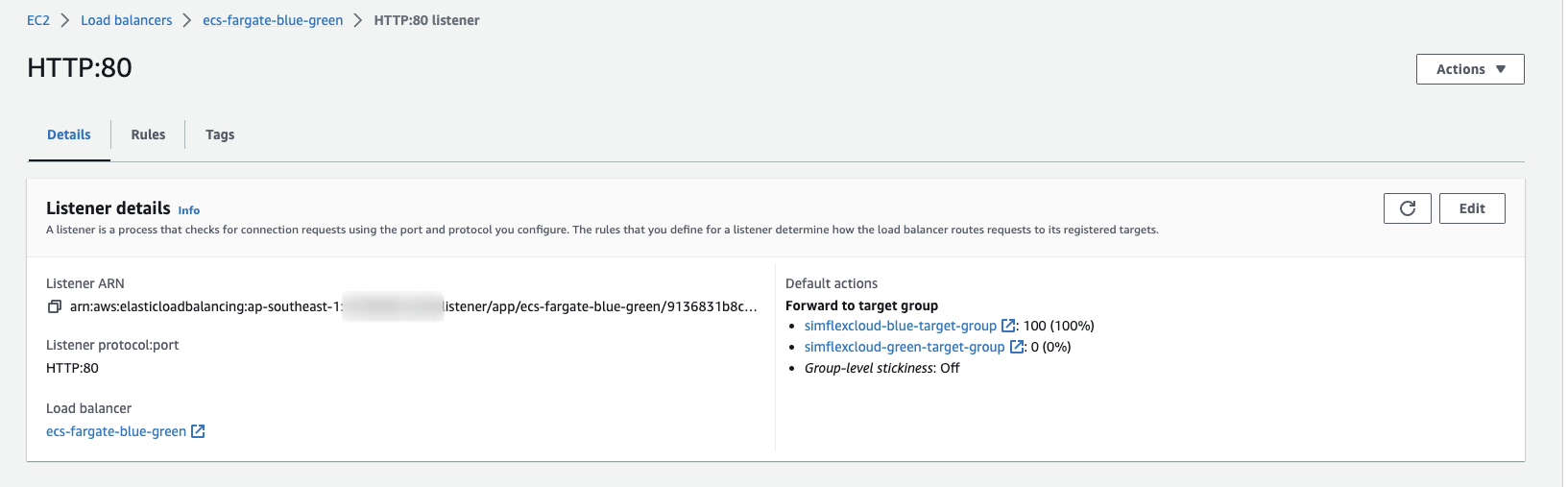
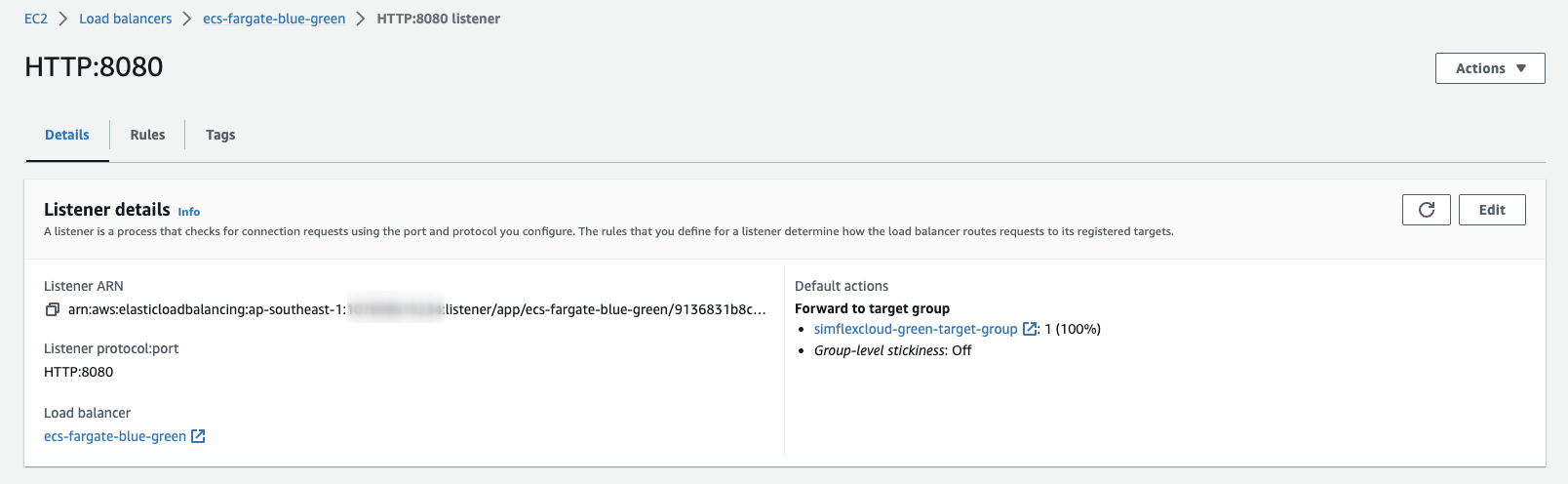
We have two rules:
-
Port 80: the main rule
<img src=https://raw.githubusercontent.com/vumdao/cdk-ecs-fargate-blue-green-deployments/master/images/alb-rule-80.png width=700>
-
Port 8080: testing rule
<img src=https://raw.githubusercontent.com/vumdao/cdk-ecs-fargate-blue-green-deployments/master/images/alb-rule-test-8080.png width=700>
-
-
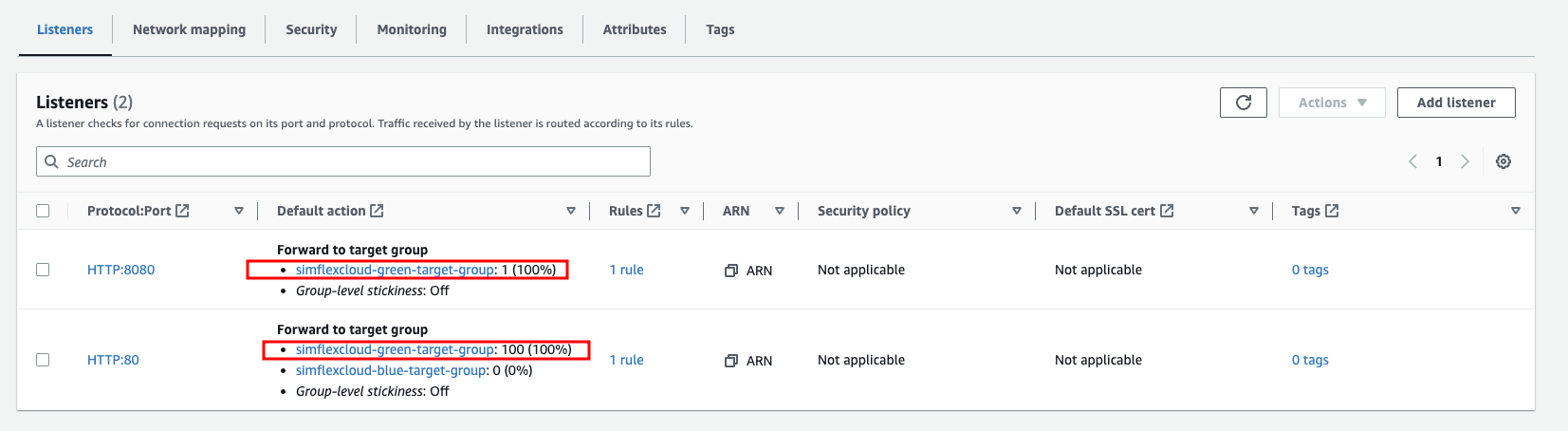
The ALB is currently stuck to the target group of green
<img src=https://raw.githubusercontent.com/vumdao/cdk-ecs-fargate-blue-green-deployments/master/images/alb-stick-to-green-tg.png width=700>
4. CodeDeploy application and deployment group
-
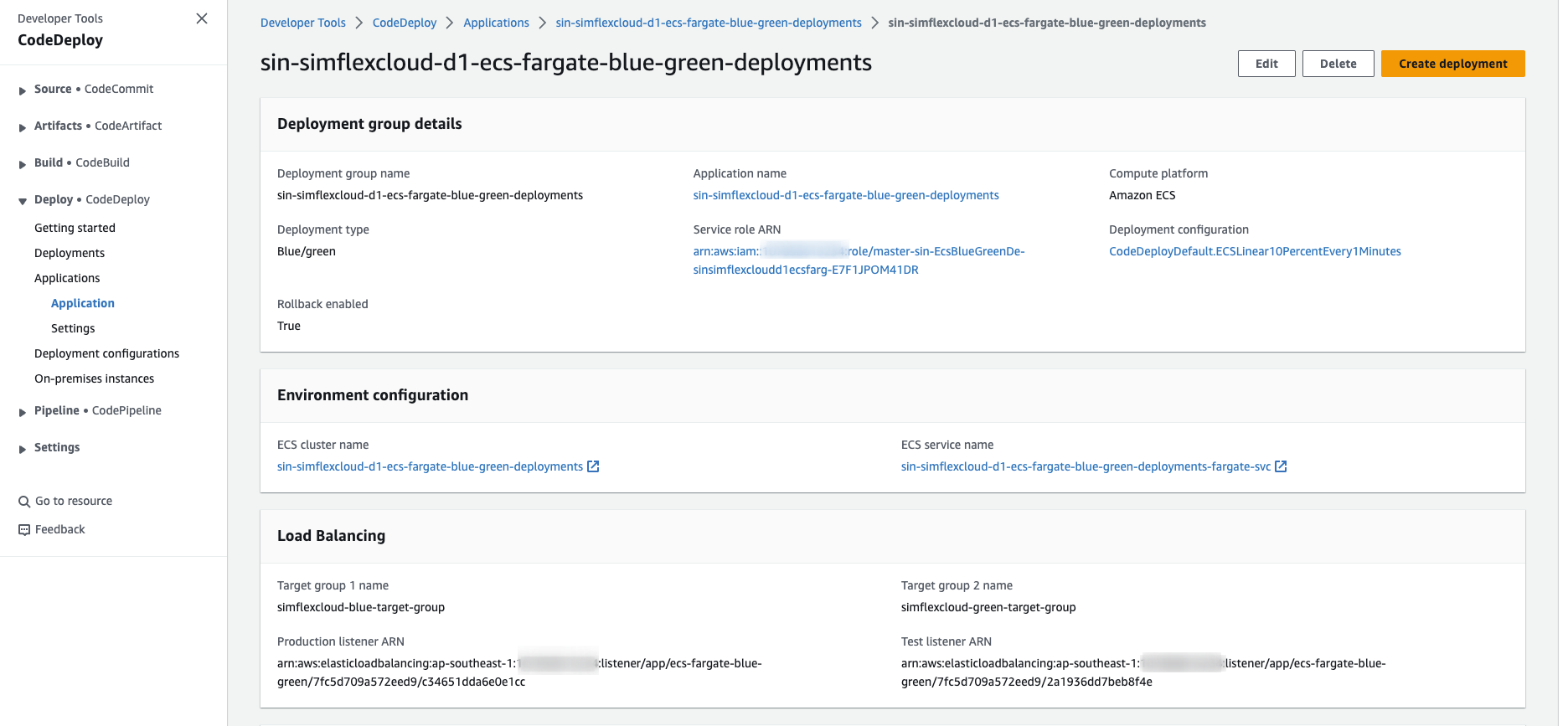
A CodeDeploy deployment group that orchestrates ECS blue-green deployments.
<img src=https://raw.githubusercontent.com/vumdao/cdk-ecs-fargate-blue-green-deployments/master/images/app-deployment-group.png width=700>
🚀 Test the blue-green deployments
-
Test the blue service by loading ALB DNS
<img src=https://raw.githubusercontent.com/vumdao/cdk-ecs-fargate-blue-green-deployments/master/images/test-blue.png width=700>
-
Now we change the color to red in
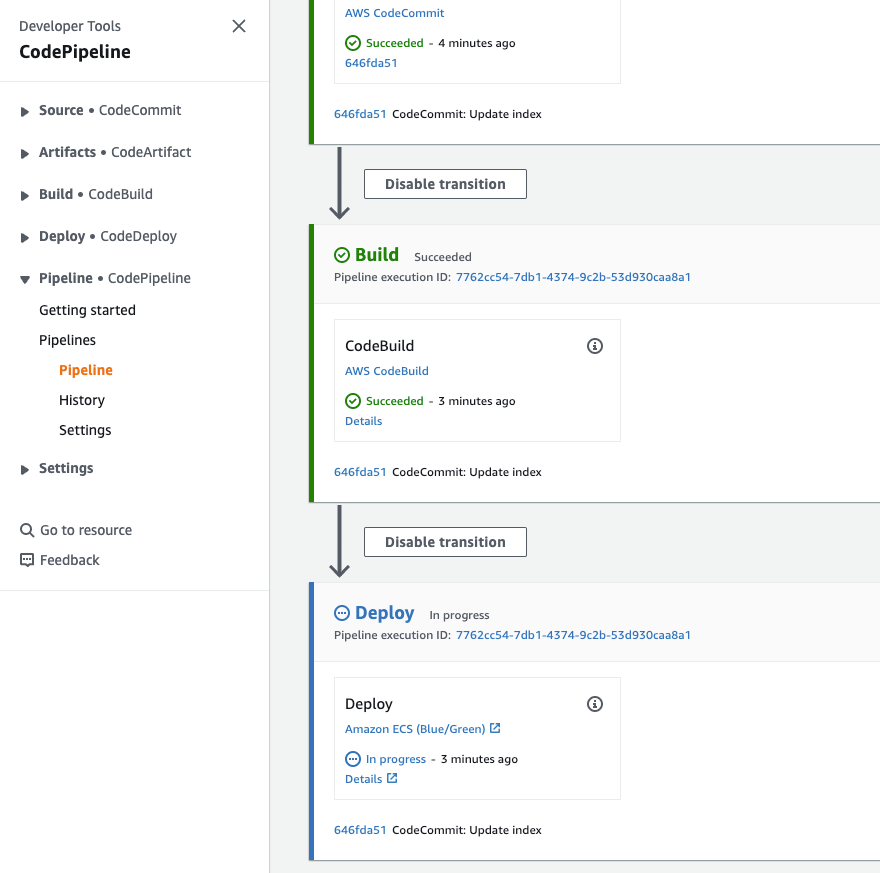
app-proj/index.htmland push the commit to CodeCommit. It triggers the pipeline to build and then deploy a new change<img src=https://raw.githubusercontent.com/vumdao/cdk-ecs-fargate-blue-green-deployments/master/images/deploy-blue-green.png width=700>
-
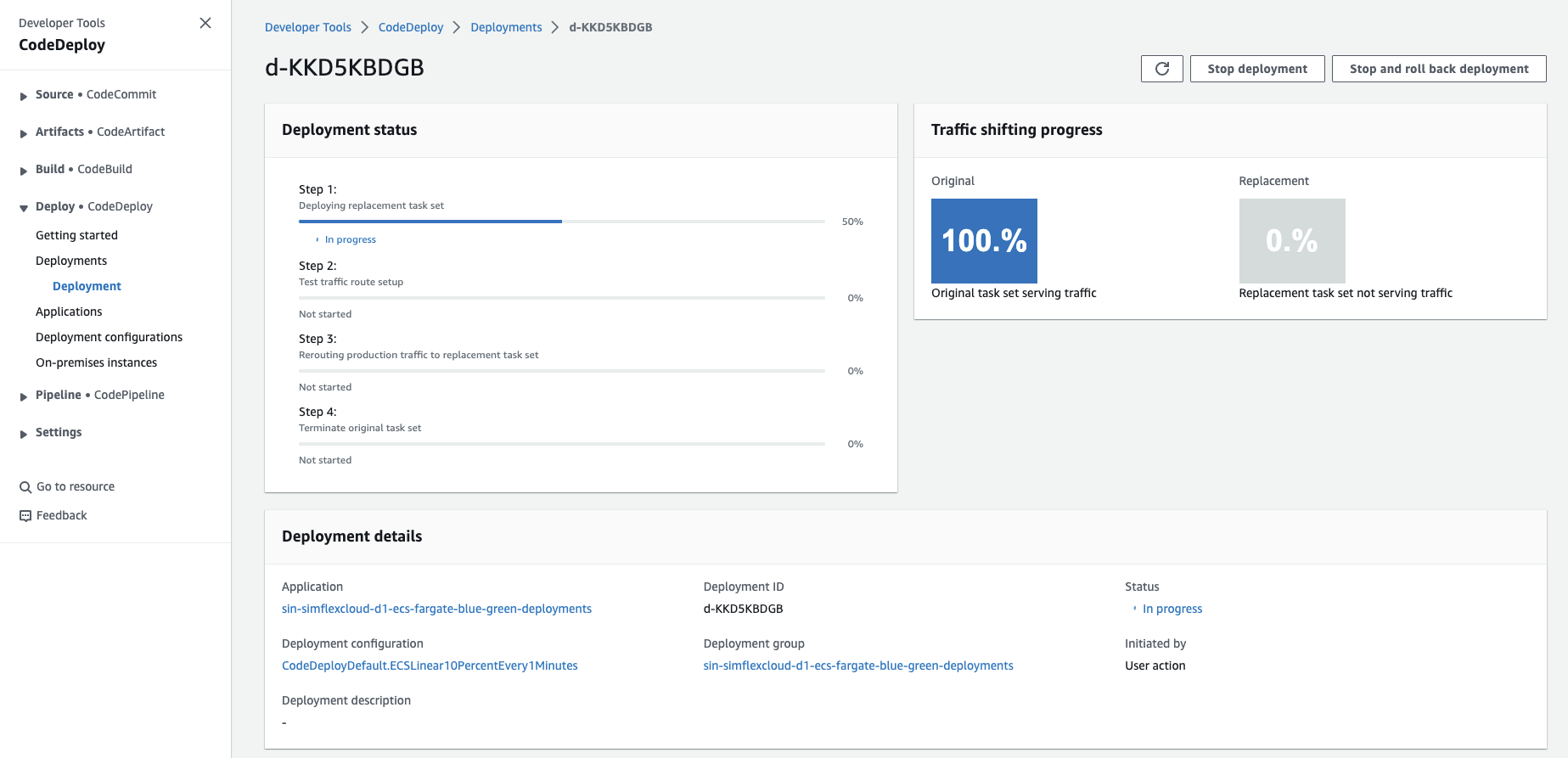
The deploy stage creates codedeploy deployment ID to perform the deployment process and handle the Traffic shifting progress strategy with rule
LINEAR_10PERCENT_EVERY_1MINUTES(CodeDeploy predefined deployment configuration that shifts 10 percent of traffic every minute until all traffic is shifted)<img src=https://raw.githubusercontent.com/vumdao/cdk-ecs-fargate-blue-green-deployments/master/images/deployment-id.png width=700>
-
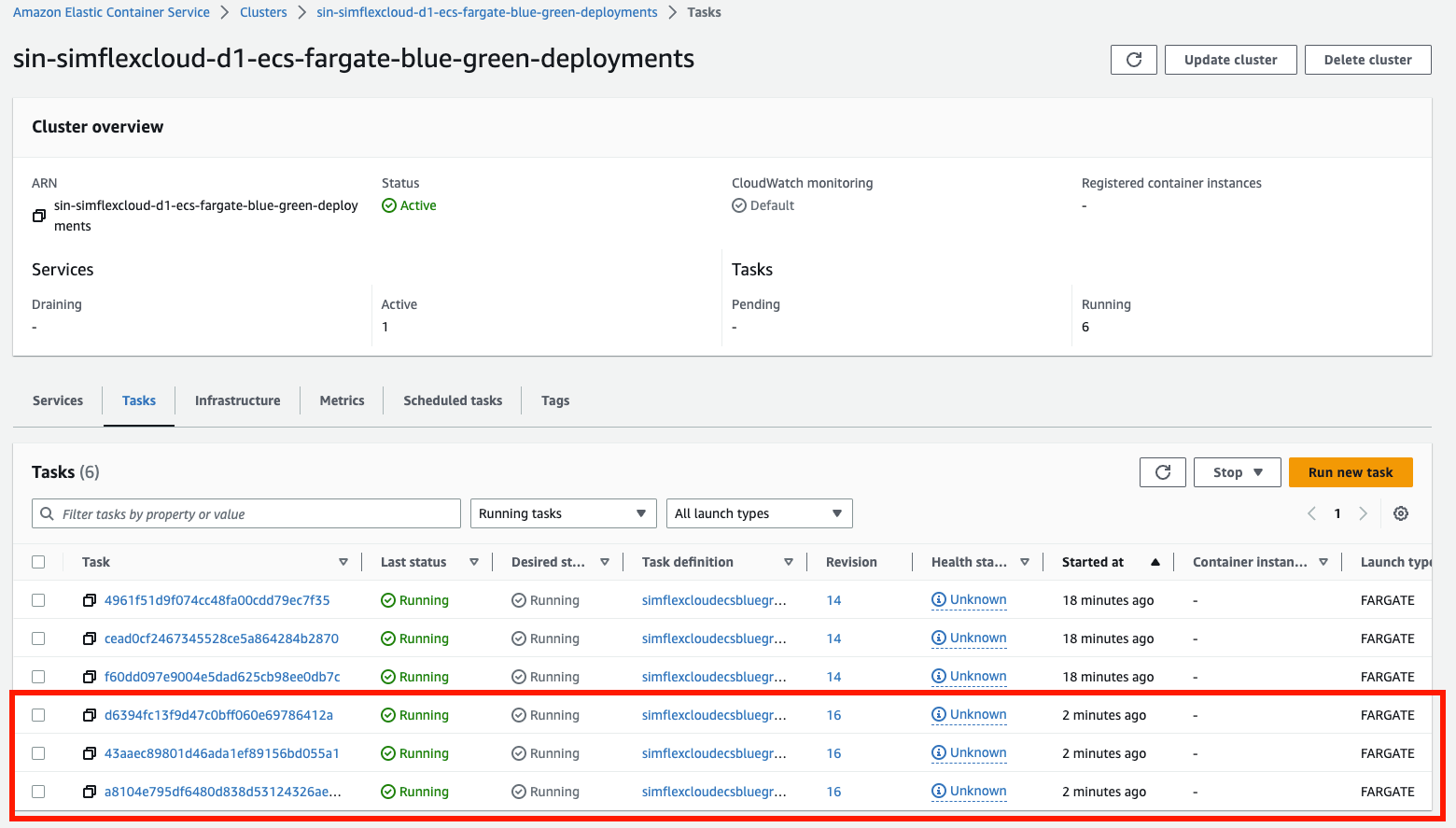
ECS run new tasks with new image version on the ECS service
<img src=https://raw.githubusercontent.com/vumdao/cdk-ecs-fargate-blue-green-deployments/master/images/desired-count.png width=700>
-
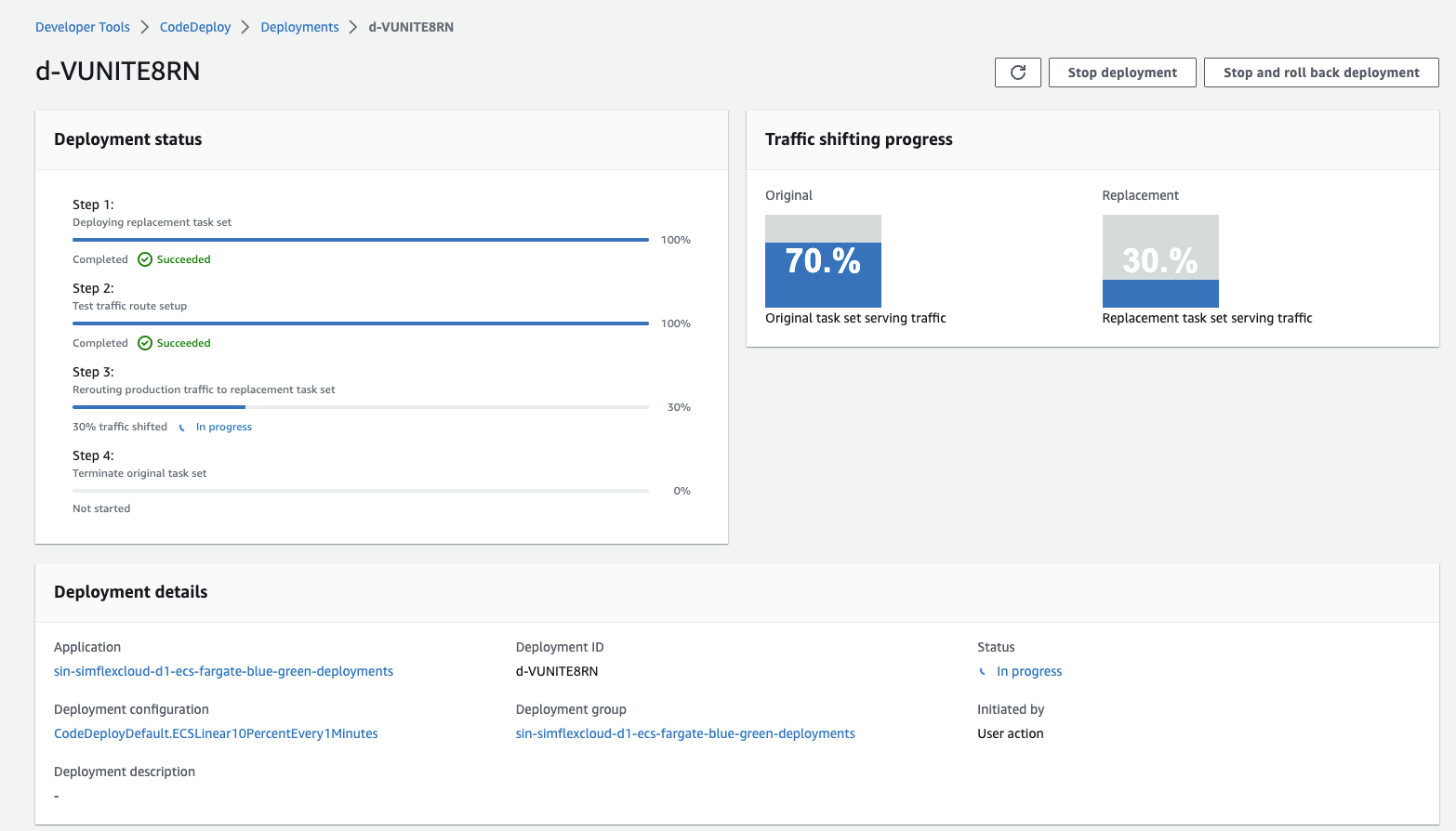
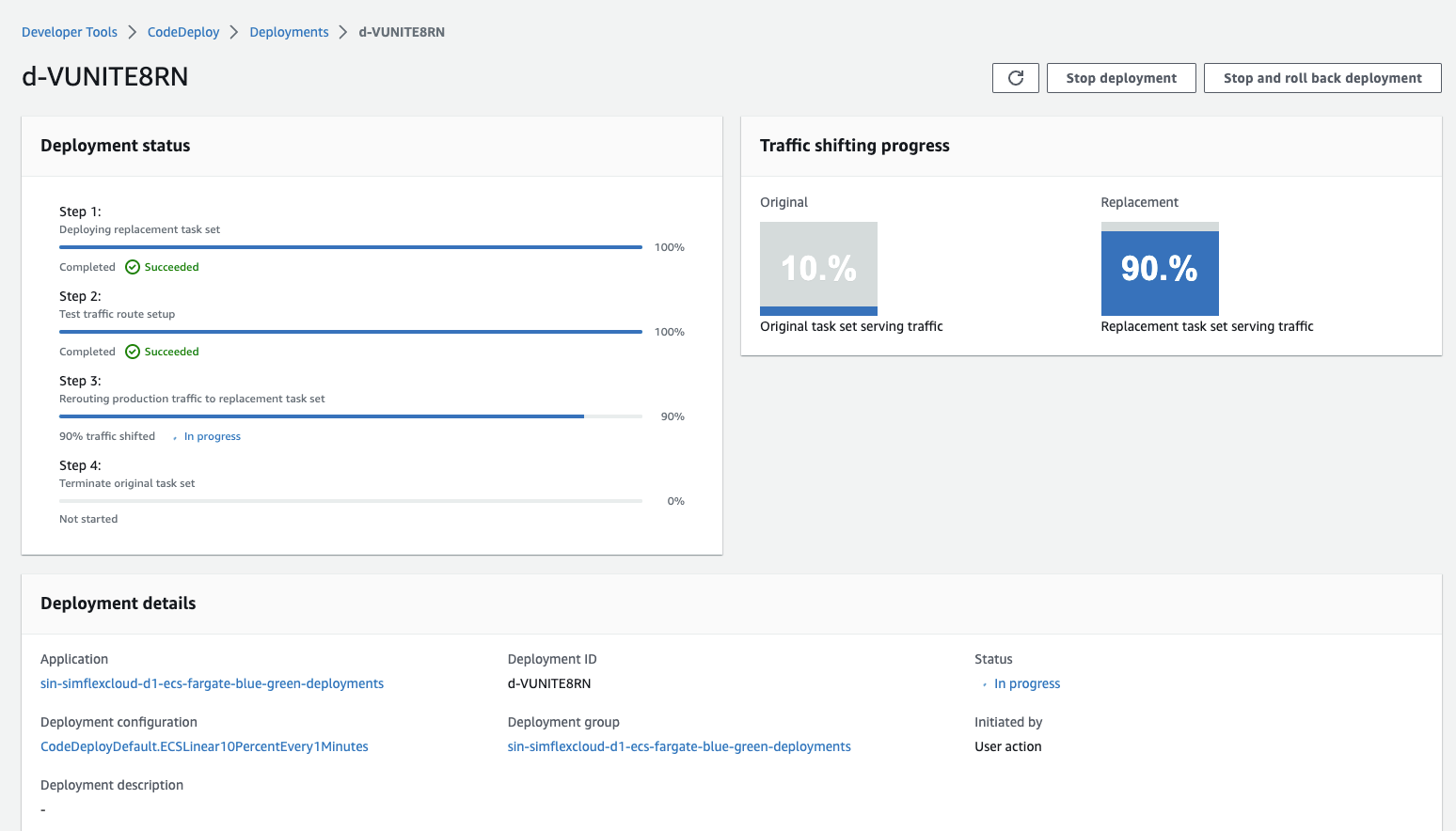
After the new tasks are in healthy state, the deployment starts rerouting production traffic to replacement task set gradually following the rule
LINEAR_10PERCENT_EVERY_1MINUTES<img src=https://raw.githubusercontent.com/vumdao/cdk-ecs-fargate-blue-green-deployments/master/images/70-percentage.png width=700>
<img src=https://raw.githubusercontent.com/vumdao/cdk-ecs-fargate-blue-green-deployments/master/images/90-percentage.png width=700>
-
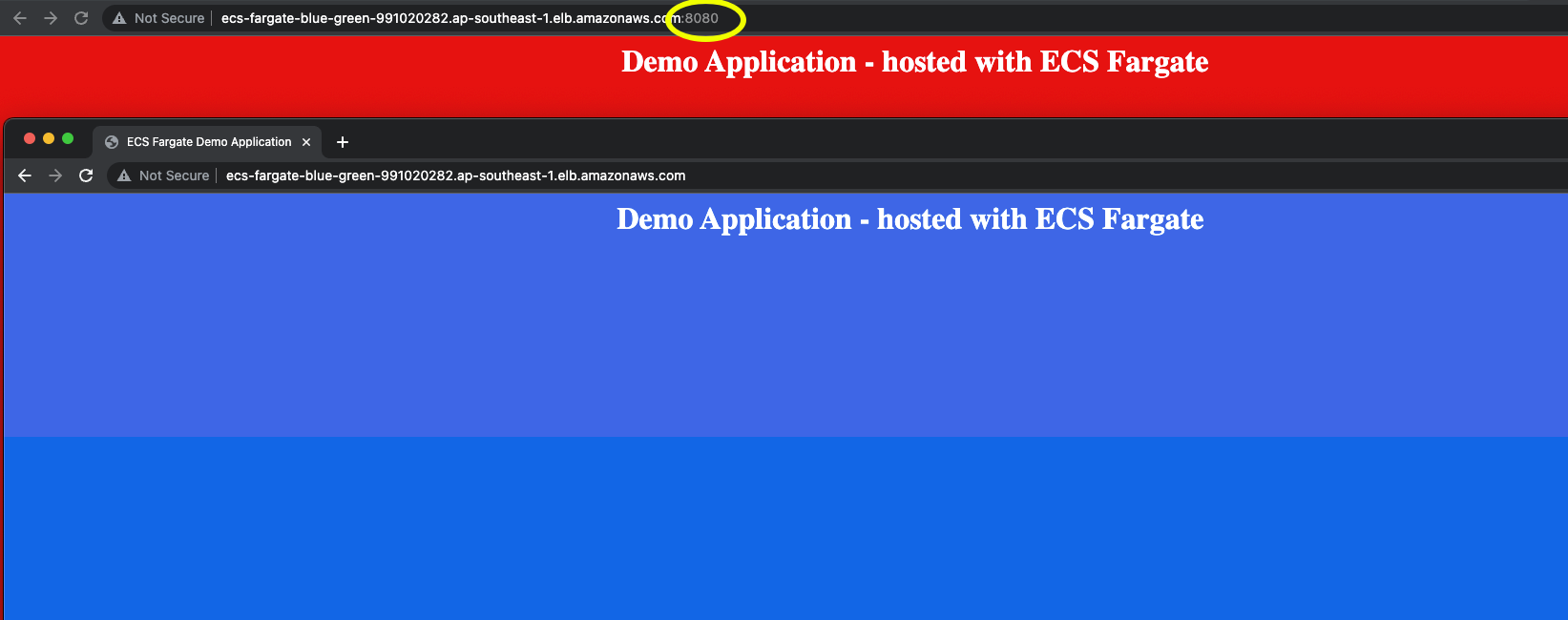
Use port 8080 for testing and compare with current version
<img src=https://raw.githubusercontent.com/vumdao/cdk-ecs-fargate-blue-green-deployments/master/images/blue-green-percentage.png width=700>
-
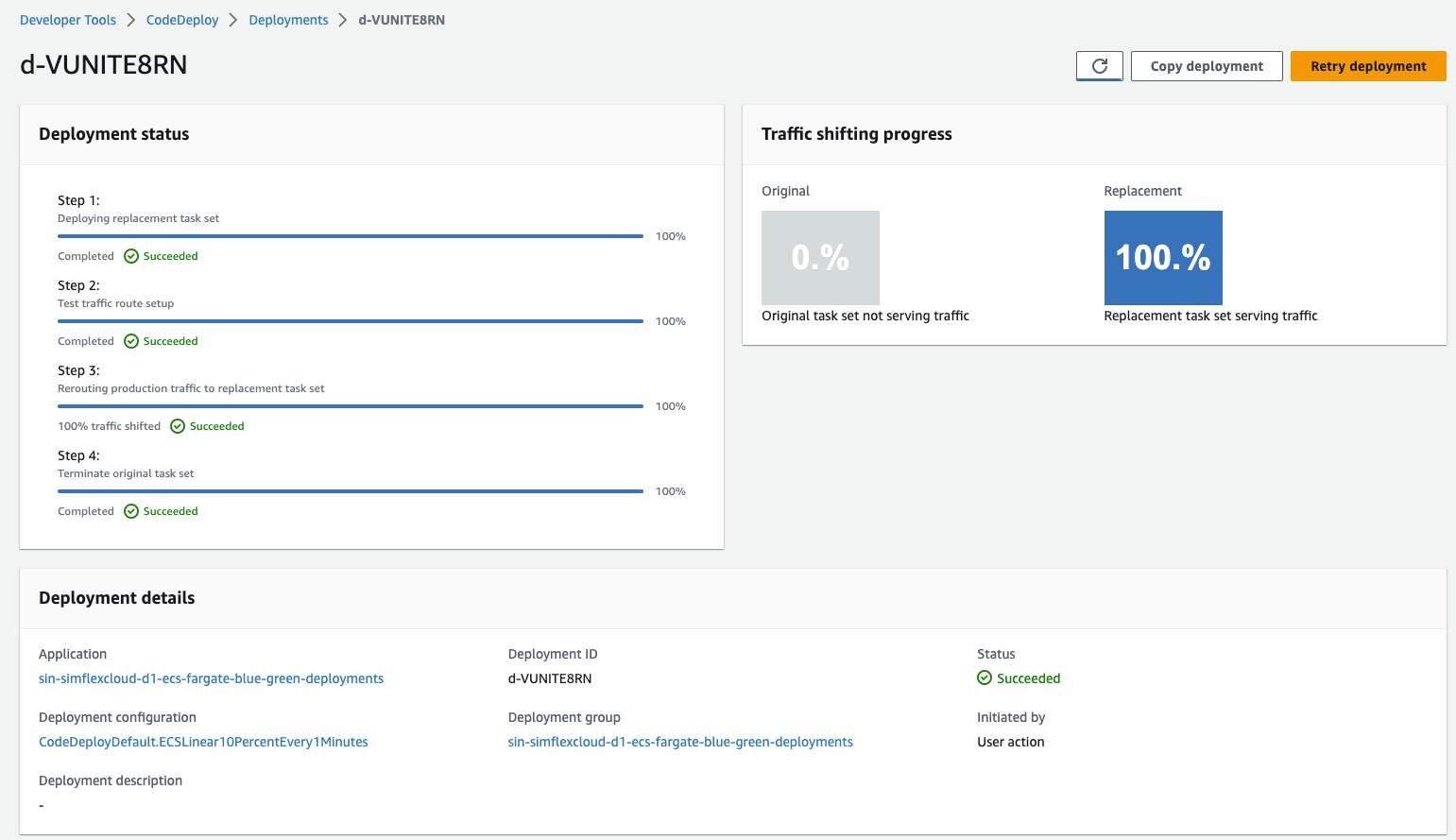
Complete the replacement and start terminating the original task set
<img src=https://raw.githubusercontent.com/vumdao/cdk-ecs-fargate-blue-green-deployments/master/images/100-percentage.png width=700>
-
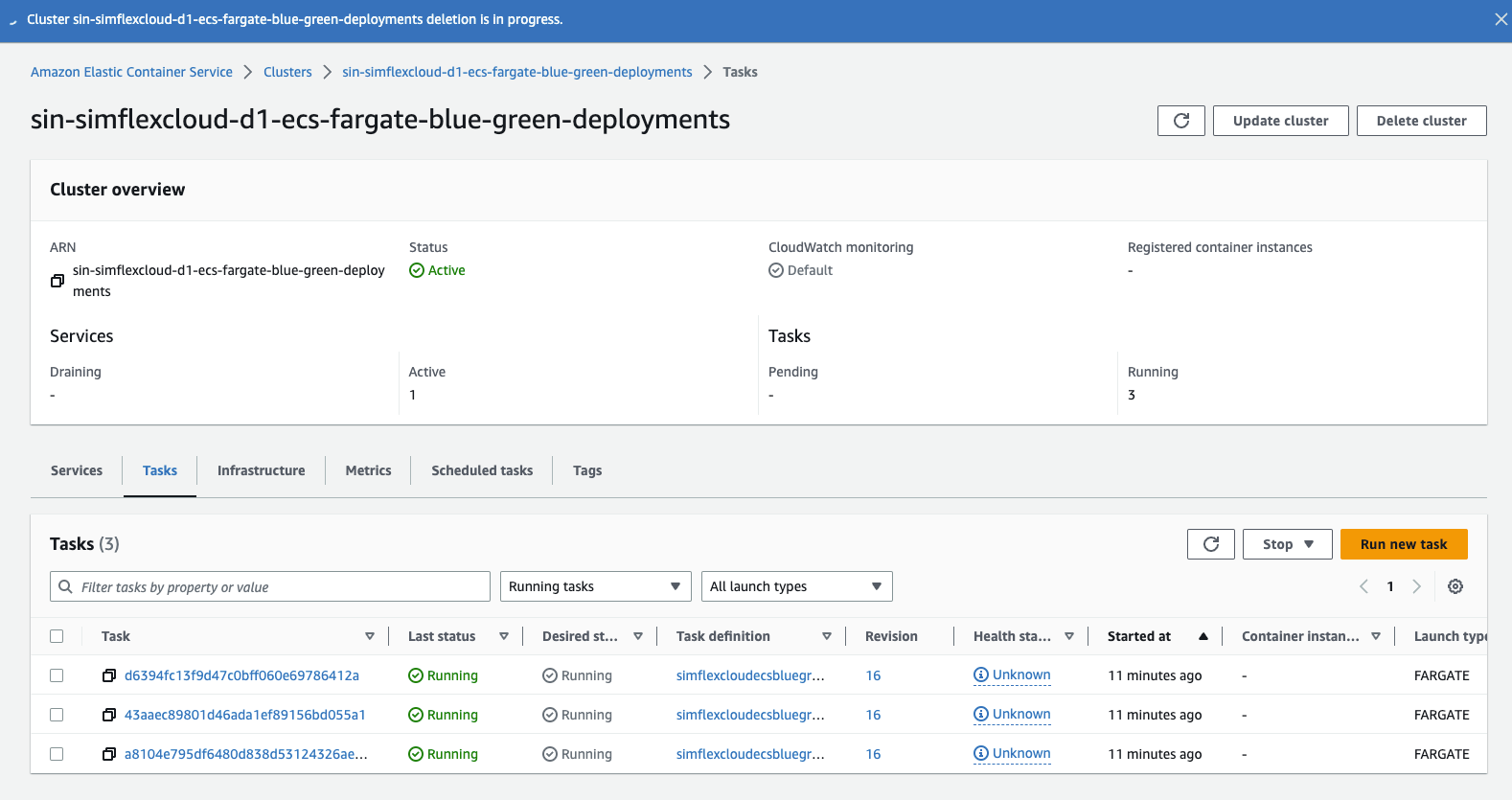
ECS remove the tasks with old revision
<img src=https://raw.githubusercontent.com/vumdao/cdk-ecs-fargate-blue-green-deployments/master/images/terminate-old-task-version.png width=700>
-
The final result
<img src=https://raw.githubusercontent.com/vumdao/cdk-ecs-fargate-blue-green-deployments/master/images/final-result.png width=700>


🚀 Cleanup
-
To cleanup all resources in this project, we first need to delete the ECR image as they were not created by CDK and prevent CDK to destroy the ECR repository.
-
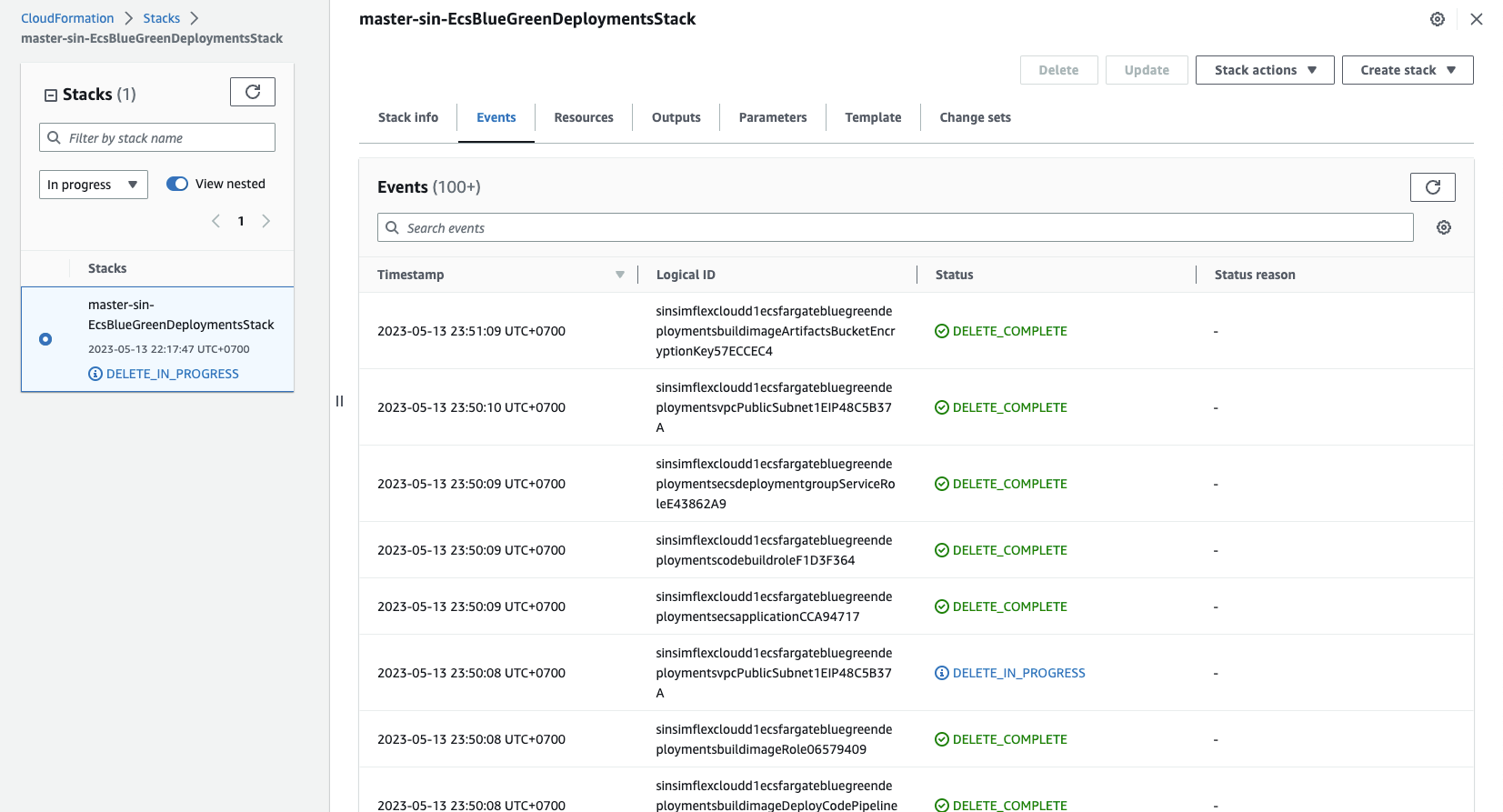
Go to cloudformation and delete stacks.
<img src=https://raw.githubusercontent.com/vumdao/cdk-ecs-fargate-blue-green-deployments/master/images/cleanup.png width=500>
🚀 Conclusion
- Now that you know how to launch tasks into your Amazon ECS cluster using CDK pipeline with the required type EC2 or Fargate.
- The approach of a blue-green deployment involves utilizing two identical production environments as a means of reducing downtime. Various cutover strategies may be employed, but typically only one of the environments should be actively serving production traffic.
References: